
Key Features | Text/image to UI, Wireframe Scanner, AI Design Review |
Autodesigner 2.0 | Conversational AI UI Agent of Uizard; released (and last updated) in 2024 known for multi-screen UI flow from prompt |
Ratings | Product Hunt: 4.2/5 | Software Advice: 4.6/5 |
Pros | Fast multi-screen generation, intelligent prototyping, large template library |
Cons | Blocky output with misalignment, no updates since 2024, Focus Predictor broken, screenshot-to-UI inaccurate |
Pricing | Free: $0 (3 generations/month, Autodesigner 1.5) |
Alternatives |
What is Uizard.io?
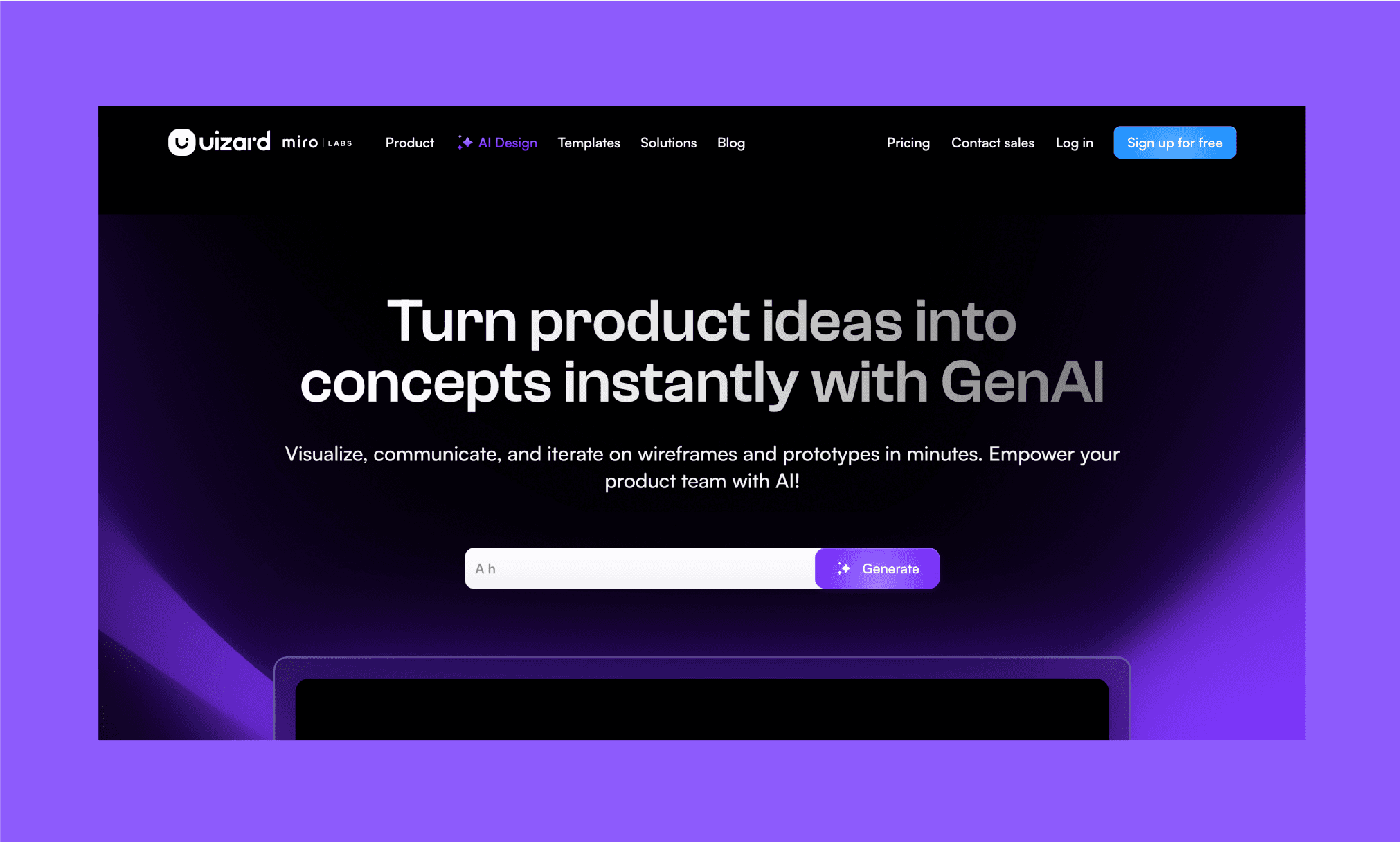
Uizard AI is a Copenhagen-born AI UI design tool for product teams[1]. Originally known for its viral Wireframe Scanner in 2018, it has since evolved into a full-fledged GenAI for ideation, visualization, and iteration of lo-fi wireframes, hi-fi UIs, and interactive prototypes.
Uizard was acquired by Miro Labs in mid-2024 and now operates under its innovation workspace umbrella[2].
Autodesigner 2.0 of 2024 and Updates Afterwards
Uizard’s AI UI Agent is called Autodesigner. It has been released in 3 versions viz. 1, 1.5, and the latest 2.0 in 2024. Autodesigner 2.0[3] was their biggest product leap, but, conspicuously also the last. Because as of mid-2026, there’s no public update by the company; not even a social post.
Yet Uizard remains one of the most popular AI UI tools in 2026. Hence an obvious question: Is Uizard - with its Autodesigner 2.0 of 2024 - still worth it in 2026?
And that's what I plan to test in this review of Uizard AI design tool.
Does Figma Agent (in Beta) Beat AI-native Alternative >
My Tests with Uizard AI Features
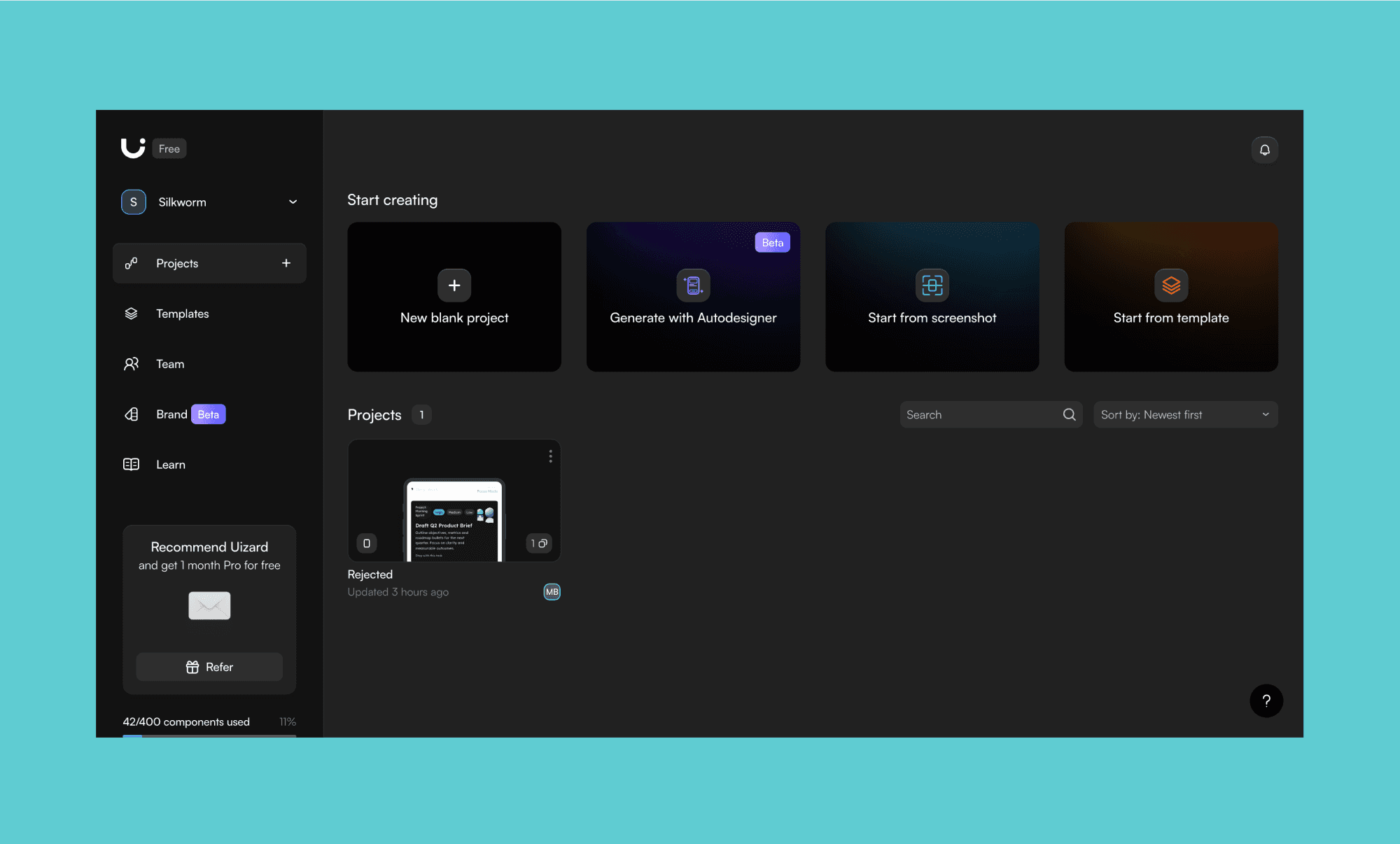
As soon as you log into the Uizard AI portal, you’re greeted with four ways to start UI design: get Generate with Autodesigner, turn a screenshot to editable UI, remix an existing template, or start on a blank project (obviously). For simplicity, I decided to stick to this sequence and then review other key features of Uizard AI design tool.
Design with Autodesigner
The marquee feature/product of Uizard AutoDesigner. It starts off asking some screen, style, and other design questions with a sequence of screens. I felt this should’ve been in a single step with the prompt box (like most AI UI Tools in 2026). Anyways, I went with the idea of:
“An employee HR app for remote attendance, and leave request/management. Elegant corporate aesthetics.”
In the first try, it took ~7 minutes and gave nothing. But when tried again, within 3 minutes, it produced a full flow of my app (~13 screens) with prototype links.
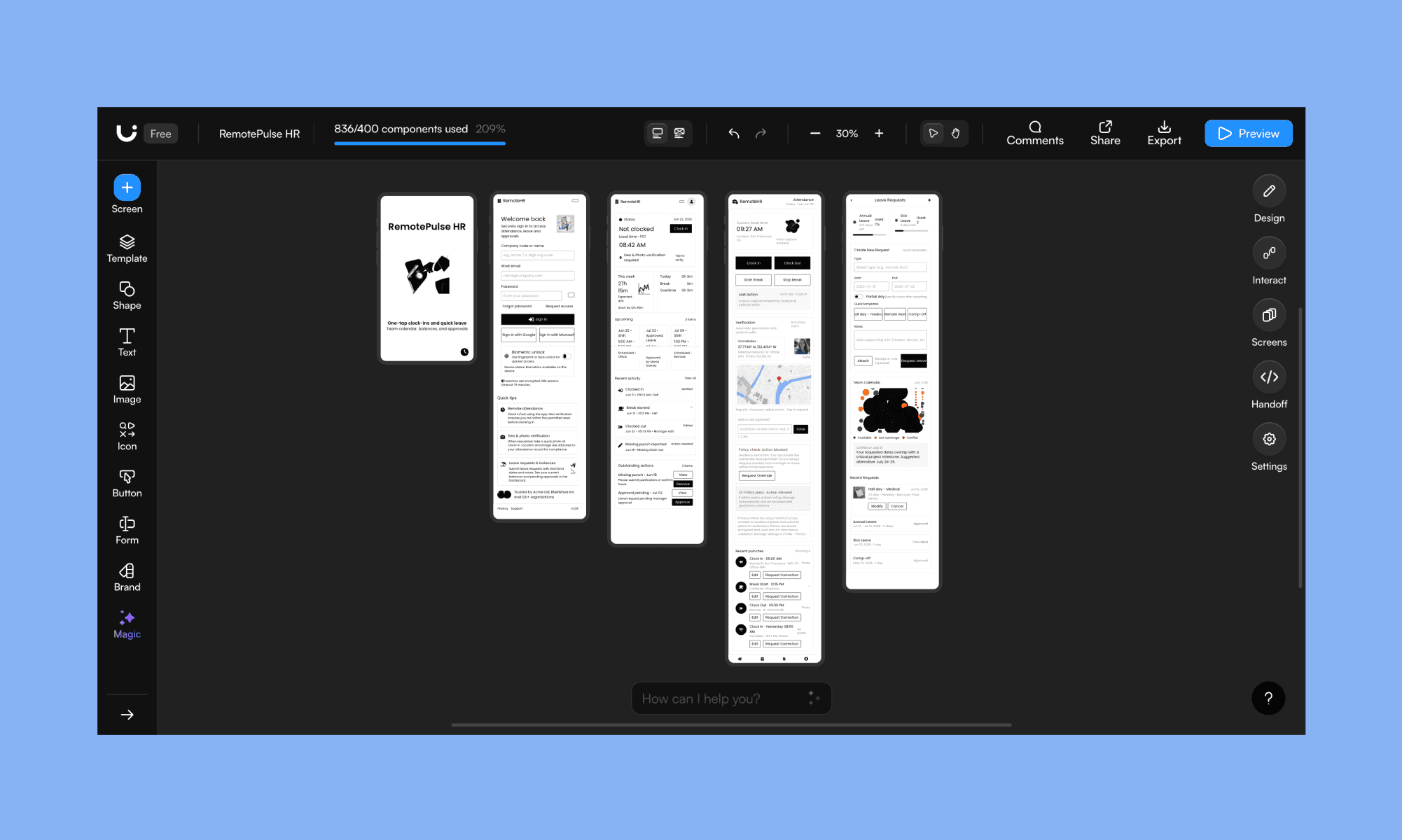
*Note: In the image I show the most important ones in the flow for convenient visibility.
It includes the welcome screen, onboarding, dashboard, attendance marking and leave request. Quite a wholesome flow. Every component is editable with AI and manually (like Figma Agent atop Figma design canvas). And the design is in line with the simple corporate structure. Awesome! However, I wouldn’t call it elegant. It’s basically a black-and-white, blocky layout. And examining the design closely, I could see the misalignment all over: in buttons, headers, icons. Worse, a generic AI illustration.
In comparison, a growing peer of Uizard, Banani AI UI, creates the output for the same prompt in 5 minutes. And its AI UI Agent asks clarifying questions in the process.

Review, Edit/Copy Design by Banani AI >
Banani’s design is much cleaner and truly elegant. Yet, I must give it to Uizard Autodesigner for speed and intelligence.
Design Using an AI UI Agent, free >
Screenshot to App Interface
This feature comes in handy when you like a UI screen and want to remix. I went with replicating the Tinder UI’s onboarding screen. Now this one was straightforward: You upload a screenshot, press ‘Done’ and in seconds, Uizard converts it into an editable UI in its canvas.
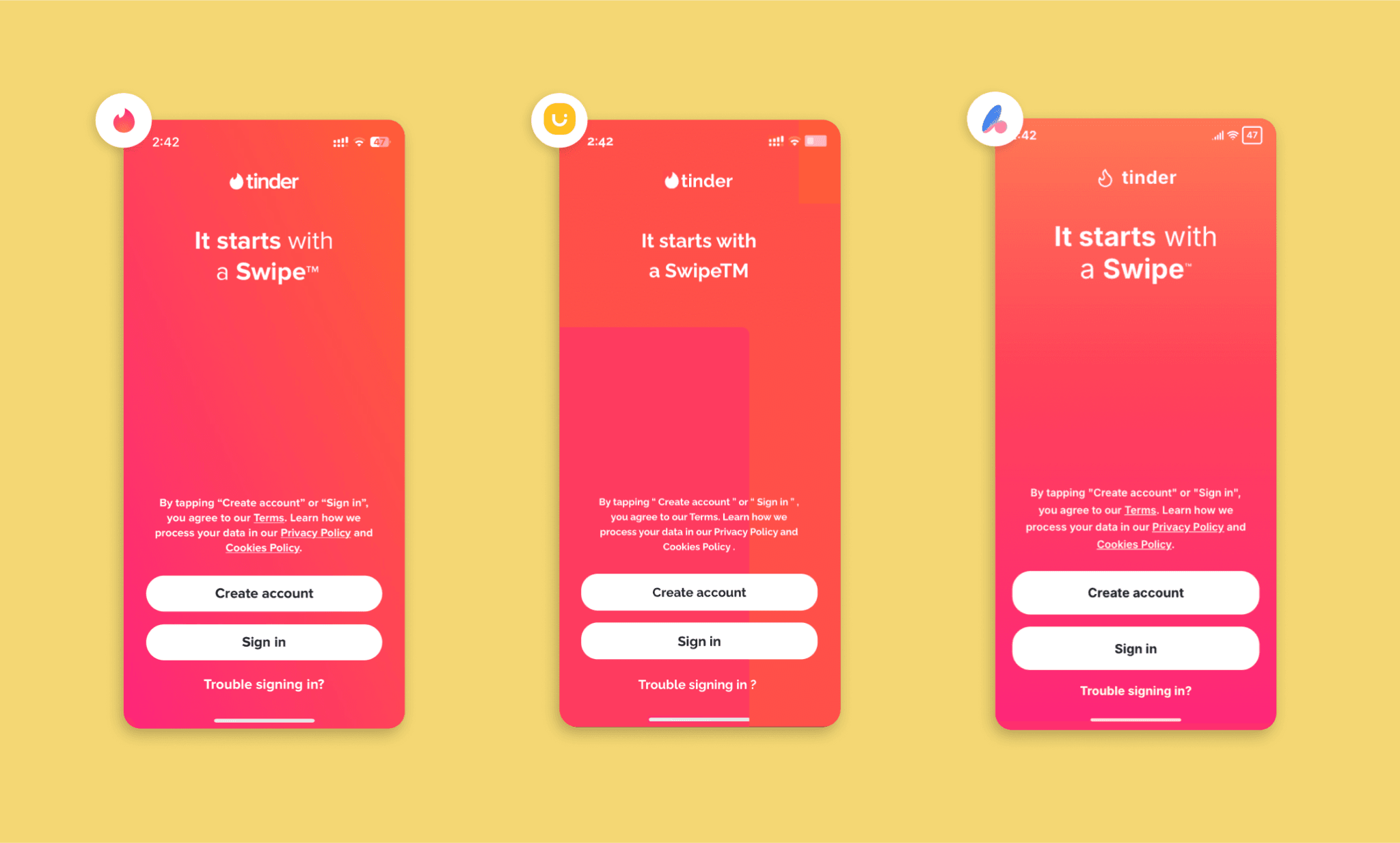
*Note: In my review of AI UI Tools in 2026, I’ve found Visily’s screenshot-to-UI the best
To my slight disappointment, it deviated from the original design. I know other similar screenshot-to-UI tools are also not 100% accurate, but Uizard was simply more off than average tools.
Create a UI with Existing Template
Uizard have a collection of 100s of design templates; from something as simple as a notes app UI, to as sophisticated as a budget tracker app UI. Once you select a template, you can either make manual edits, or ask its Autodesigner AI (present at the bottom of the screen) to make changes. I chose an e-shop page UI and asked Autodesigner to:
“I want to change the primary color to bright Terracotta, and create a dark screen version of this screen.”
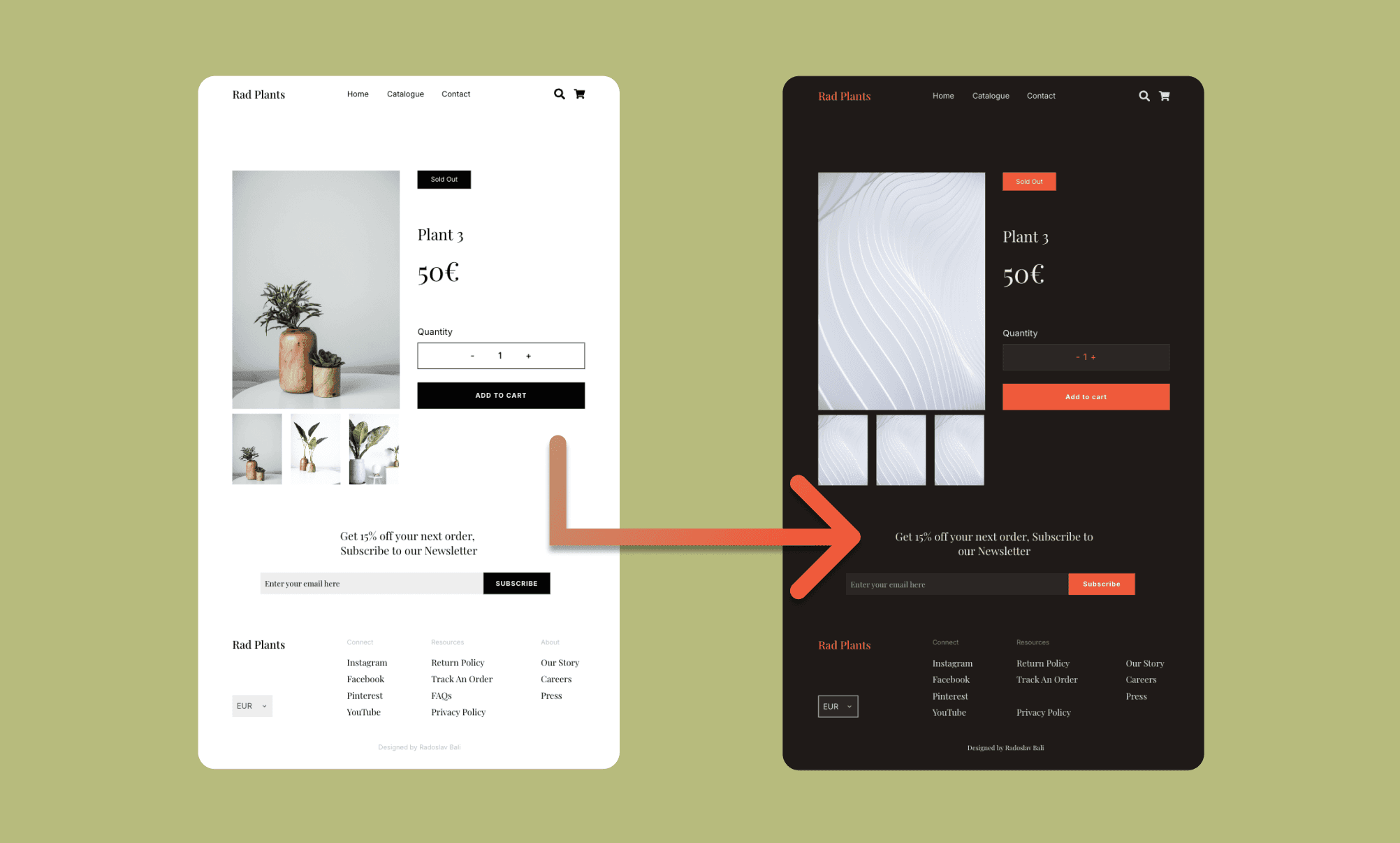
It took ~2 minutes to complete the task. Which is fast and good. But the images are gone so that’s a negative point; because other AI image editors or template editors are careful to manipulate only what’s required on the screen.
e-Shop UI Generated by Shopify AI >
AI Design Review & Focus Predictor
Halfway through the Uizard review, I was developing a strong mixed opinion. To be more favorable, I needed a unique feature in Uizard. And there was one hiding in plain sight — the AI Design Review feature. On hovering any frame in the canvas, you see it on top. Click it and in seconds, Uizard AI shall generate a ‘What works vs What needs improvement’ table, and a UX heatmap called ‘Focus Predictor’.
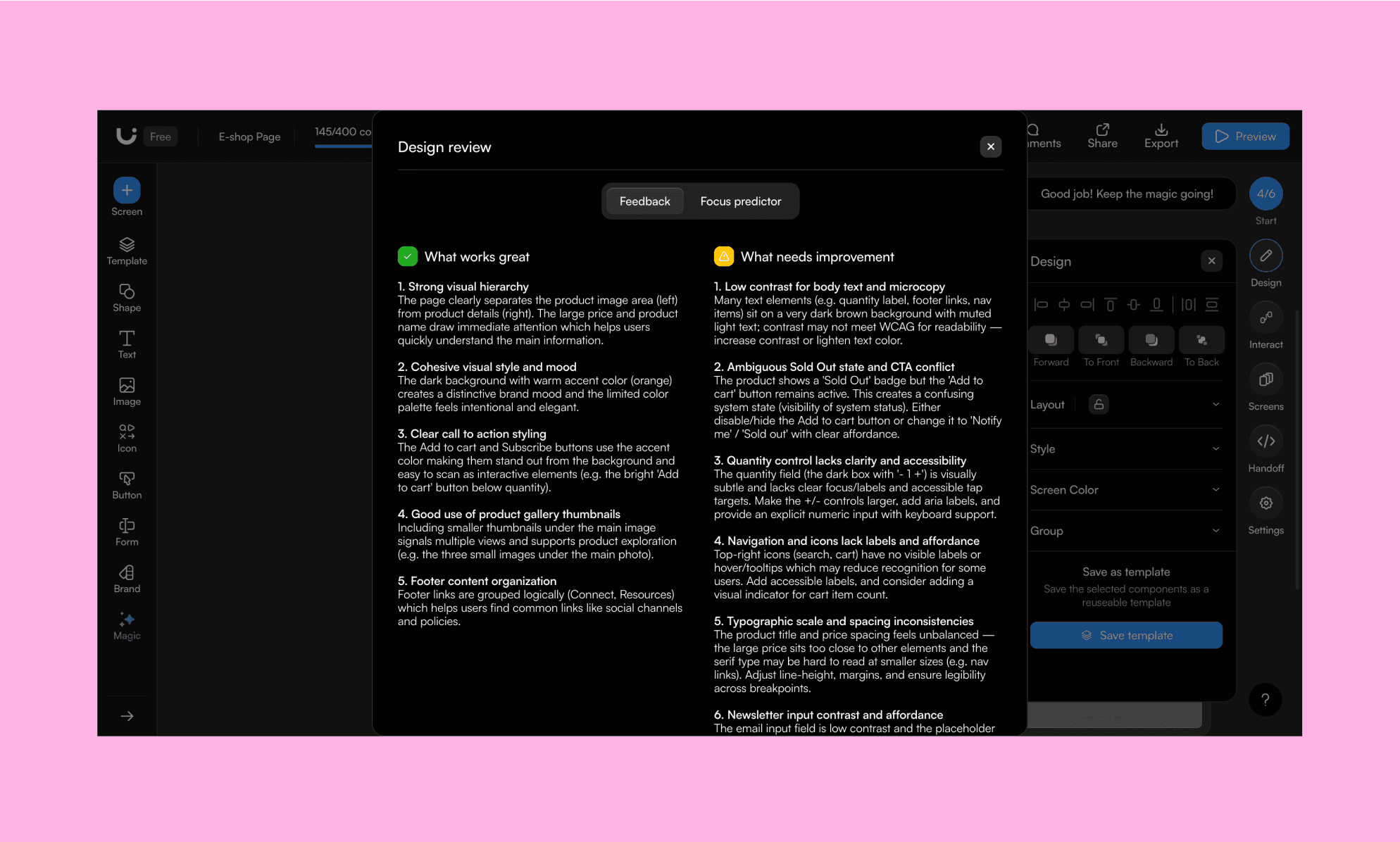
I ran both on my previous screen, the dark mode version of the e-Shop, and got some suggestions that are quite logical (e.g. Sold Out badge in conflict of Add to Cart) but some that don’t land (e.g. low contrast for text visibility). On the other hand, the Focus predictor simply did not work (despite trying a couple of times).
So, unique indeed, yet average impact.
Sketch to Wireframe
Lastly, I tested one of the first features of Uizard AI viz. Wireframe Scanner. As the name suggests, you take a photo of a hand-drawn wireframe, upload it, and Uizard turns it into a digitized, editable copy on its canvas.
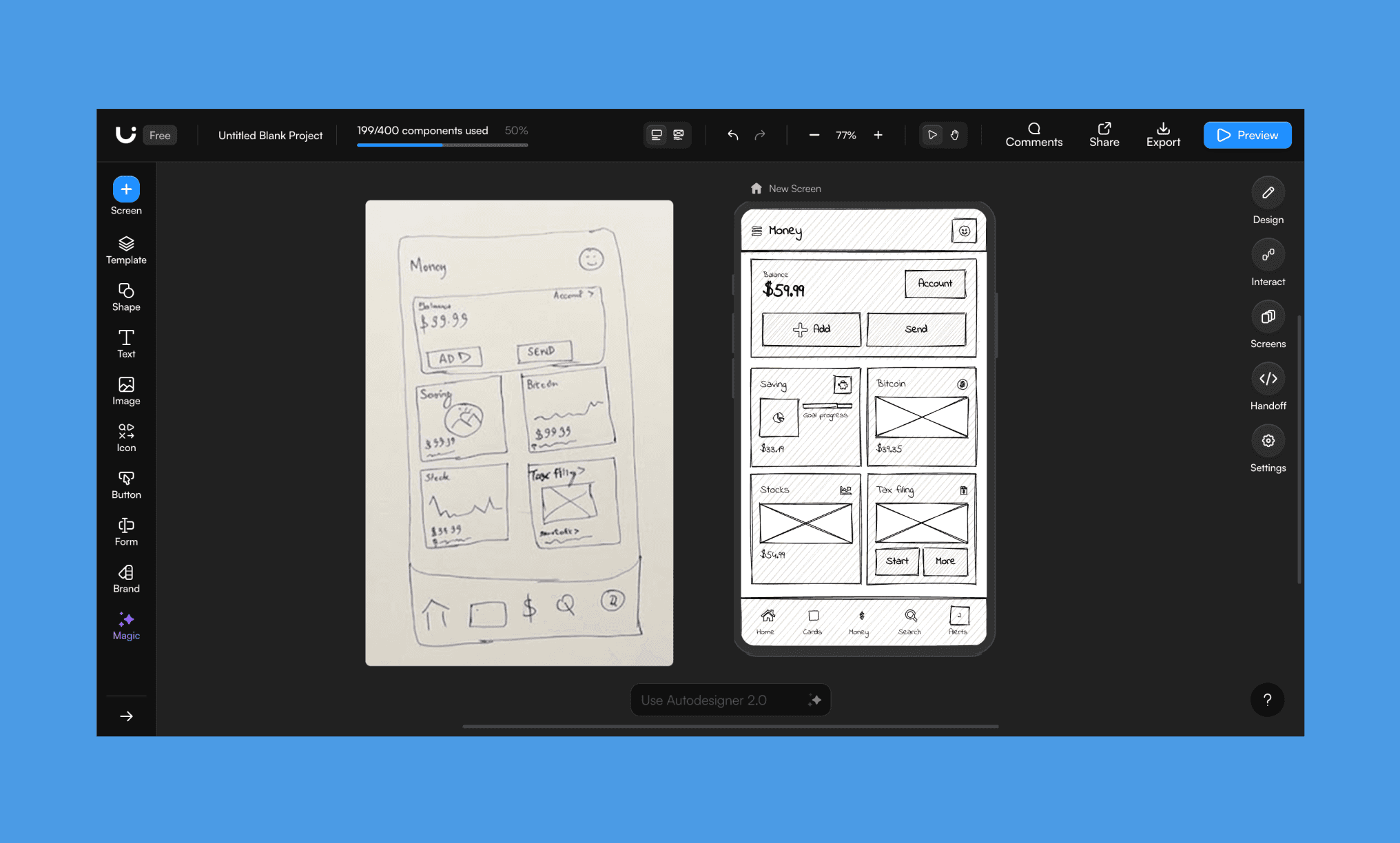
Instead of giving me a lo-fi wireframe, it created a hi-fi mockup, but it gives the option to toggle between the two in a click, so that’s handy. The replication is quite accurate with some smart corrections; and totally editable by manual and Autodesigner.
However, it took ~5 minutes, which is longer than what a typical sketch-to-wireframe AI takes.
Convert Sketch-to-Wireframe Free >
Pros & Cons of Uizard in 2026
Below is a culmination of observations from my hands-on review of Uizard and those from Reddit who opined on Uizard’s autodesigner.
What I liked | What needs improvement |
Multi-screen flow generation with automatic prototype links -- in a single prompt | Misalignment in buttons, headers, icons possible in full-flow generation |
Full flow with prototype links | Hi-fi UI can be blocky, not truly elegant |
Components editable via AI and manually | Screenshot-to-UI less accurate than competitors |
Large template library | UI generated by AI tend to follow a repetitve pattern |
Design Review feature is unique | Focus Predictor didn't work |
Sketch-to-wireframe is accurate | Sketch-to-wireframe is slow (~5 min) |
Pros & Cons of Figma Agent (beta) >
Pricing of Uizard AI
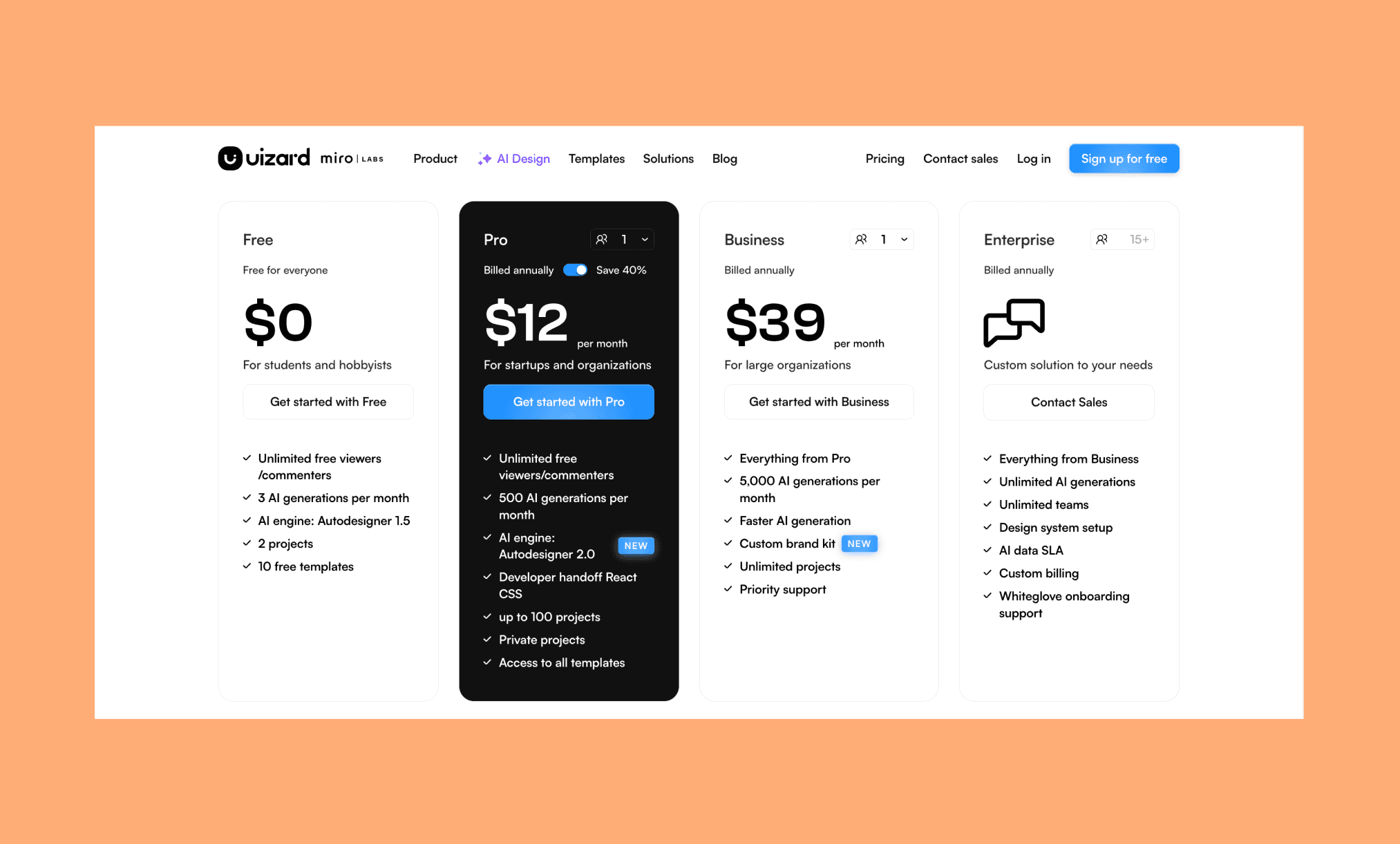
Uizard Free Plan
Uizard runs on a freemium pricing model[4]. Its free plan is built for students and hobbyists who want to explore AI UI design tools without spending a dime (or even without a credit card). It's functional enough to test its features, but the limits kick in fast.
3 AI generations per month with Autodesigner 1.5 (not 2.0)
2 projects with up to 5 screens each
400 components limit across the organization
10 free templates only
Uizard Paid Plans
Uizard has two paid plans by the name of Pro and Business. Pro is for individuals who need a larger volume of AI credits and Autodesigner 2.0 for better output. While, Uizard Business caters to teams with unlimited projects.
Plan | Price (annual) | AI Credits | Key Features |
Pro | $12/user/month | 500 generations/month | Autodesigner 2.0, developer handoff (React/CSS), up to 100 projects, private projects, all templates |
Business | $39/user/month | 5k generations/month | Everything in Pro + faster AI, custom brand kit, unlimited projects, priority support |
*Note: The monthly cost of Pro is $19 viz. 40% costlier. Business is only available on an annual plan.
Uizard Enterprise Plan
Enterprise is a custom-quoted plan for teams of 15 or more that need Uizard at scale with security and admin controls. You have to contact their sales team to get a quote.
Unlimited AI generations with faster speeds
Unlimited teams and projects
Design system setup and AI data SLA
Whiteglove onboarding support and custom billing
MagicPath 2.0: New Features Worth New Price? >
Alternatives to Uizard
Figma vs Uizard
Classic Figma remains the industry standard for professional UI/UX design. And, in the Figma AI toolkit, the two in line with what Uizard does are: Figma Make to build app prototypes from prompts, and Figma Agent (in beta) — built directly into the canvas — to generate, edit, and refine designs using your own design system as context.
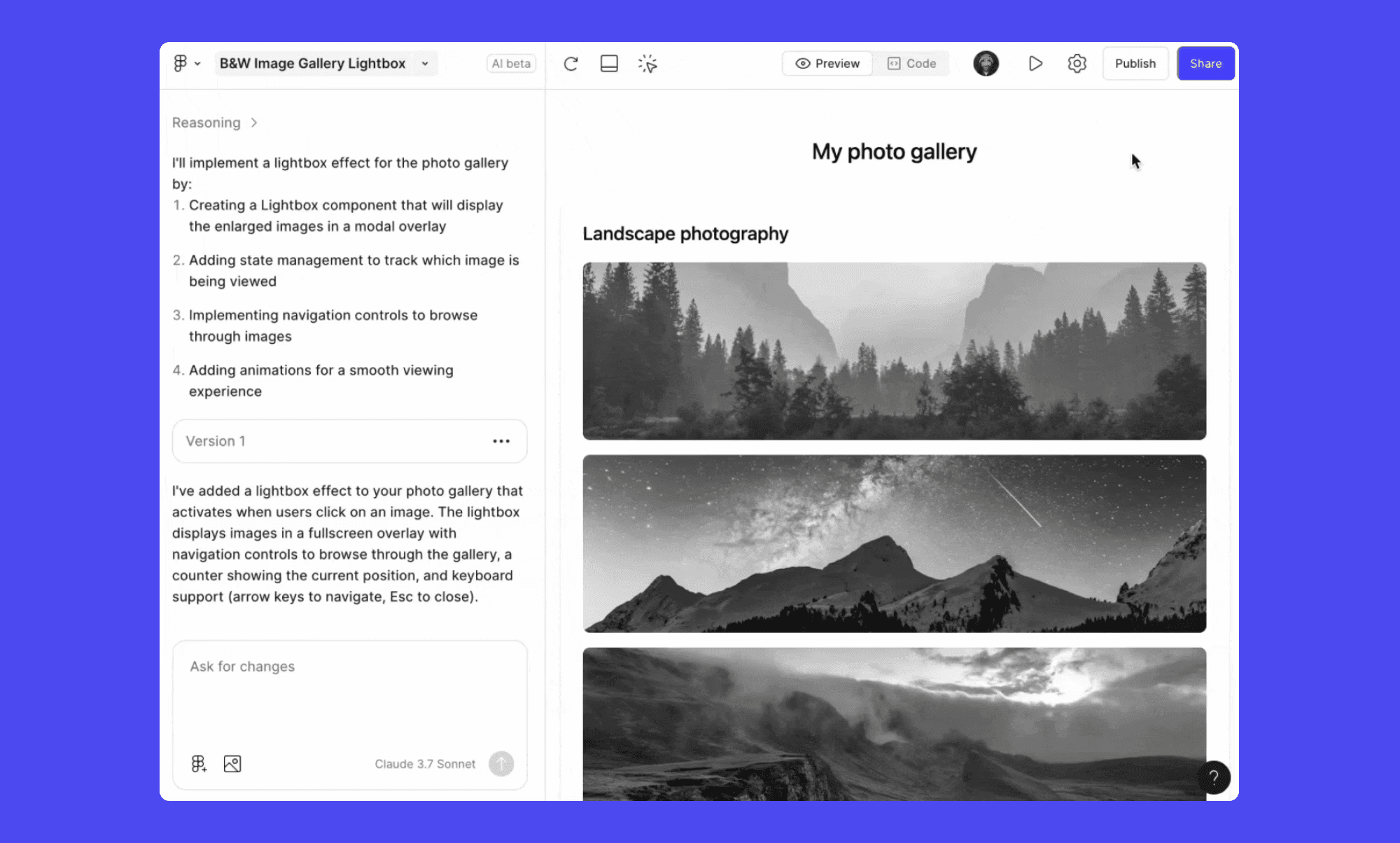
Why use Figma over Uizard: If you already work in Figma, its Agent gives you AI generation without leaving your existing files and design system.
Pricing: Figma has a free starter plan; paid starts at $20/month, though Figma Agent is currently in closed beta and not available to all paid users.
Try Text-to-Figma Design with AI, Free >
Banani vs Uizard
Banani is an AI-native UI design tool that generates high-fidelity multi-screen designs and prototypes from a text prompt or image. Its canvas has a conversational AI UI agent, and features for Figma export, HTML/CSS export, and MCP connector.
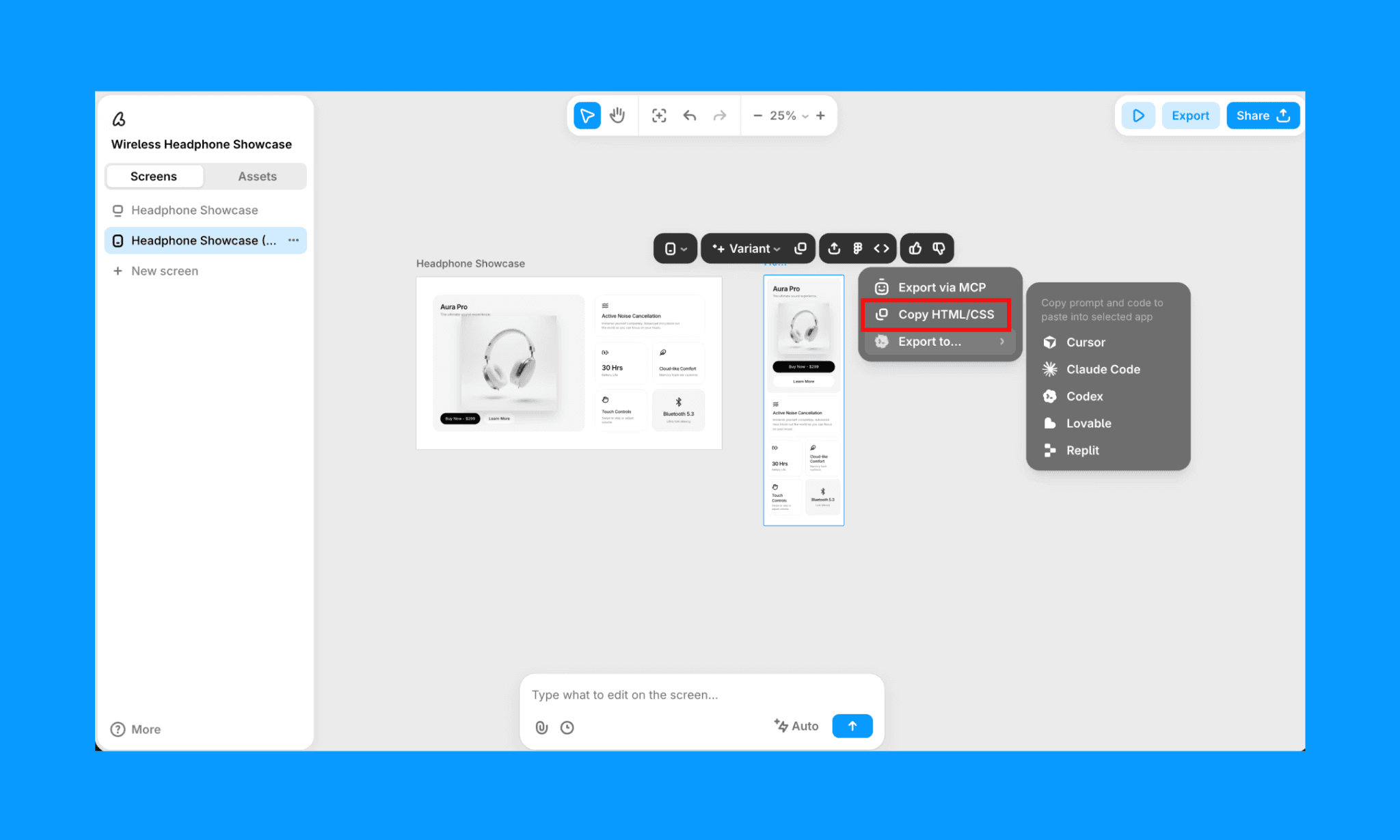
Why use Banani over Uizard: For cleaner output quality, faster generation, and deep Figma integration.
Pricing: Free plan includes ~170 screen generations/edits per month. And its paid plan starts at $12/month for ~400 AI credits.
Generate UI with Banani AI free >
Stitch vs Uizard
Stitch (formerly Galileo AI) is a free AI UI design tool by Google Labs. It’s focused on multi-screen flows, interactive prototyping, and MCP setup, with built-in design system generation.
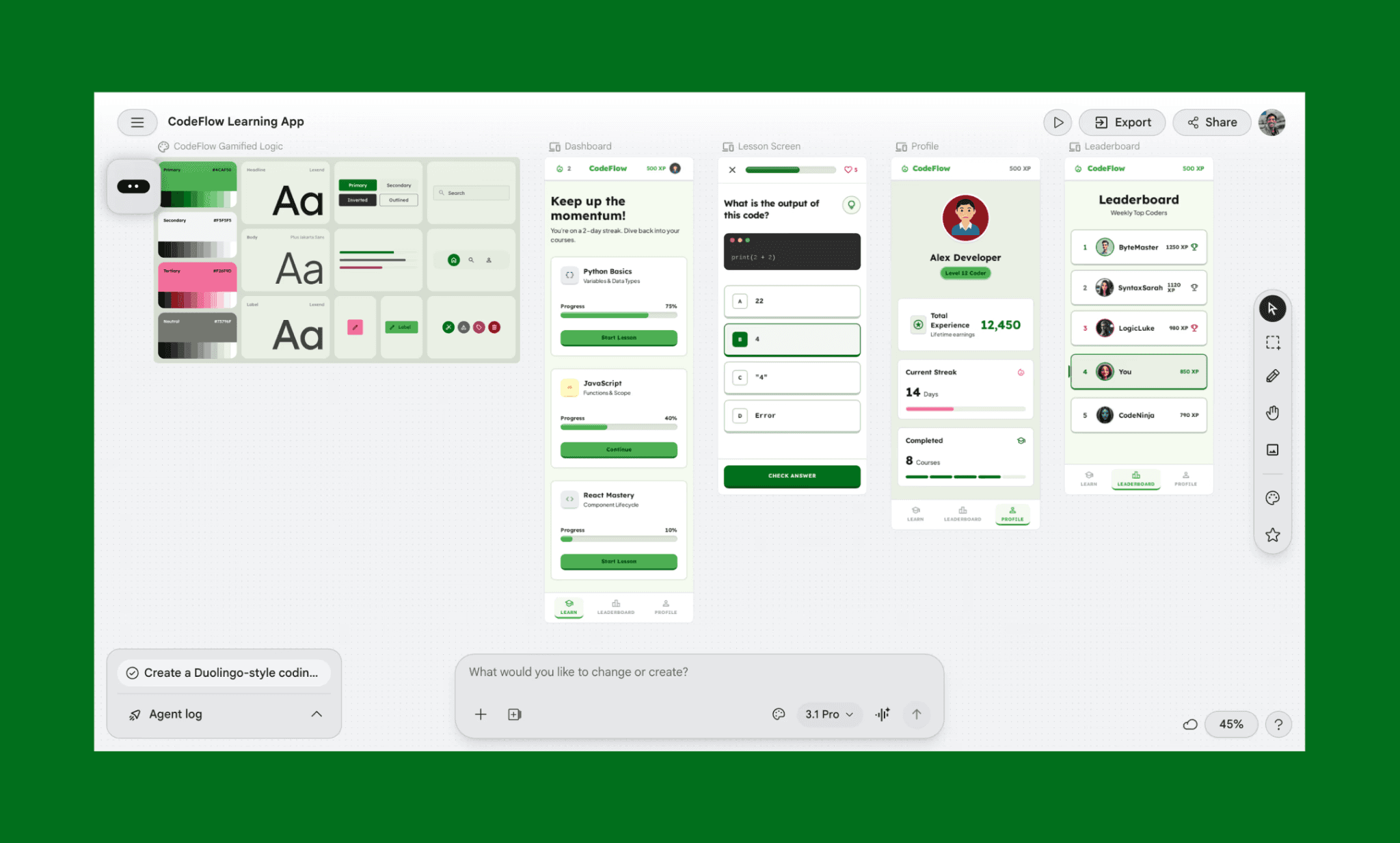
Why use Stitch over Uizard: UI design powered by state-of-the-art Gemini LLM, it’s becoming the flag-bearer of vibe design AI.
Pricing: Entirely free with 400 daily credits (~12,450/month), no paid plan exists yet. But also no top-up possibility.
Examples of UI Designed with Gemini 3.1 Pro >
UX Pilot vs Uizard
UXPilot is an AI design tool that generates structured wireframes and UI layouts from prompts, with predictive heatmaps, code export, and a Figma plugin for in-canvas generation.
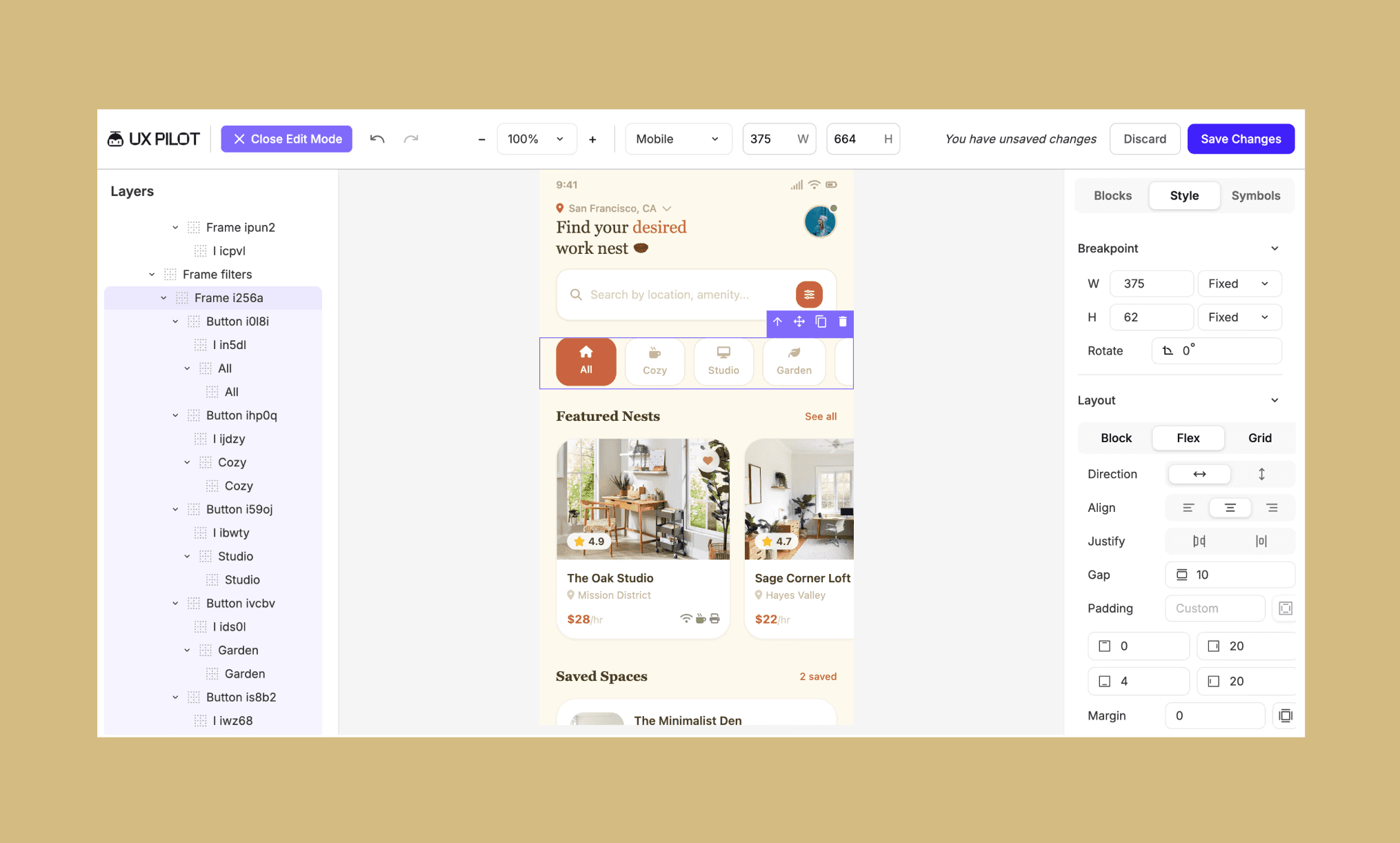
Why use UXPilot over Uizard: Mixes features of AI UI and UX tools to help at each stage of product development.
Pricing: Free plan gives 15 screens (non-commercial). Paid starts at $15/month for 70 screens with Figma and code export.
Visily vs Uizard
Visily pitches itself as a lighter, more accessible Figma powered by AI. The key features of this UI design tool include text-to-UI, screenshot-to-design, a drag-and-drop canvas, theme extraction, and real-time collaboration.
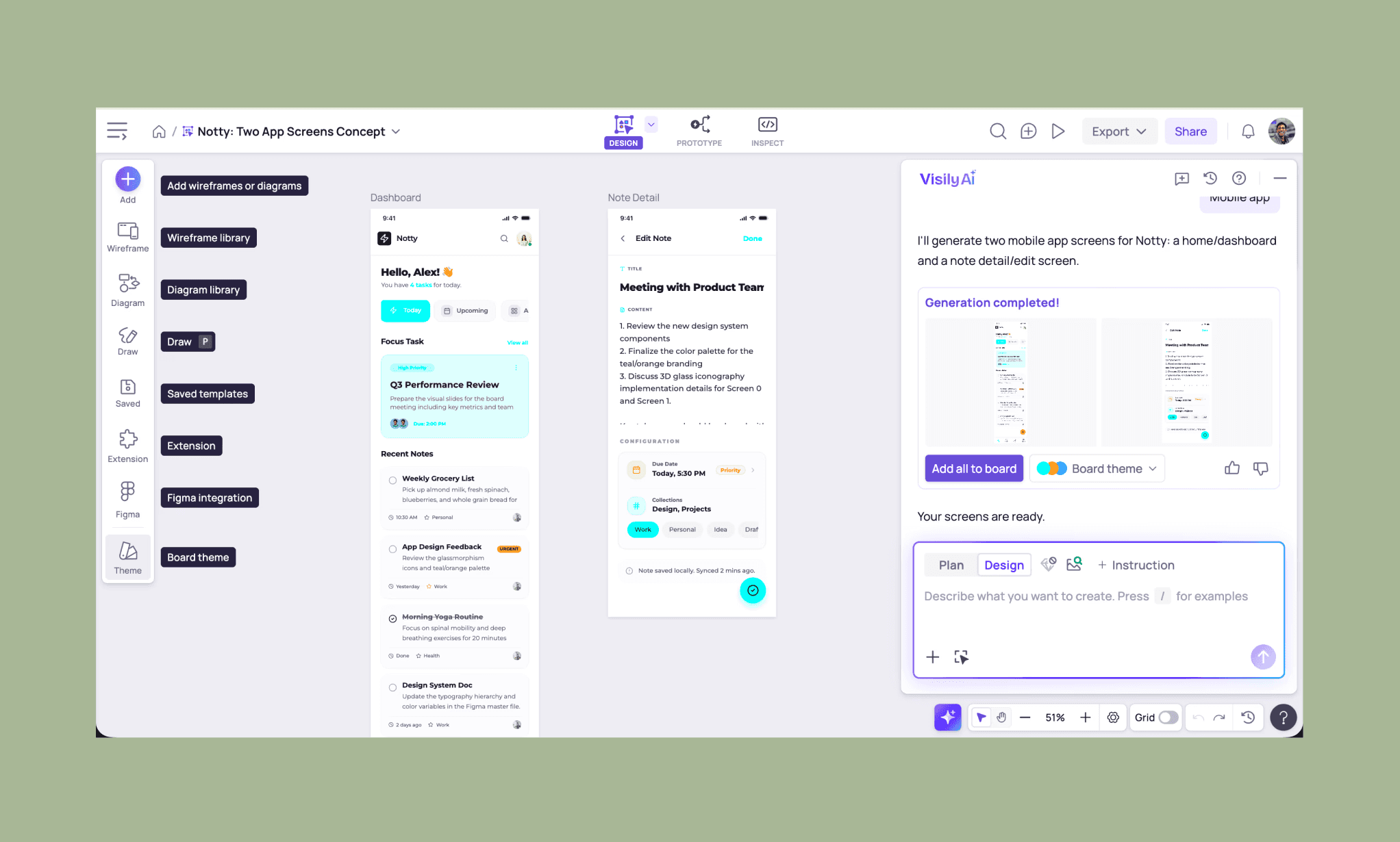
Why use Visily over Uizard: Superior screenshot-to-UI accuracy to build on the inspiration of best-designed apps UI.
Pricing: Free plan offers 300 AI credits/month. Visily paid starts at $11/editor/month for 3k AI credits.
Feature Testing the Free Visily AI >
So, Is Uizard Worth it in 2026?
I say yes, Uizard is worth a try but with strong mixed feelings. Despite being last updated in 2024, Autodesigner 2.0 (and other AI design features) remains intelligent and comprehensive at competitive pricing in 2026. However, being stagnant for almost two years has them already slipping from awesome toward average at speed, accuracy, and elegance. Newer AI UI tools are closing the gap, some racing ahead.
If you need a reliable, frequently updated AI UI designer, try Banani AI. It offers cleaner design, faster speed at a more affordable rate.
FAQs on Uizard AI UI Design Tool
How do I edit a screenshot on Uizard?
In Uizard, open a project and on the left panel, click on Magic AI. Scroll to find and open ‘Wireframe Scanner’. Here you can upload your screenshot, Uizard converts it into an editable UI on its canvas in minutes. You can then edit any element manually or ask Autodesigner AI for it.
What are Uizard's limitations?
The main limitation that I learnt from my hands-on review of Uizard is that its output designs can feel generic and blocky after some time; a certain templatized pattern is evident. In addition, for multi-screen output, visible misalignment in components is also a drawback of Uizard.
Is Uizard AI free?
Yes, but with limits. Uizard AI has a free plan that gives you 3 AI generations per month using the older Autodesigner 1.5 engine, 2 projects, and 5 screens per project.
If you’re looking for a more generous AI UI tool in freemium, try Banani AI.
Is Uizard better than Figma?
For AI-first generation from a prompt, Uizard is faster to start. But Figma's design depth, plugin ecosystem, and the newly launched Figma Agent make it the stronger long-term tool for professional teams.
Which is the best alternative to Uizard AI?
Banani is the closest alternative to Uizard AI in 2026. It pretty much does everything Uizard’s Autodesigner can, and at times is faster, and definitely neater.
References
[1] uizard.io
[2] uizard.io/blog/uizard-joins-miro
[3] uizard.io/autodesigner
[4] uizard.io/pricing


