
Launch | CopyCoder AI. In Nov. 2024 following a viral prototype announcement. |
Rebrand | Komposo AI. In Nov. 2025. Because of features evolving into an AI UI tool. |
What Changed | Just the name and branding to reflect the latest capabilities. |
What Stayed | Account, projects, pricing |
Key Features | Text-to-UI, AI edit, Multiple variations, Code export |
Pricing | - Free: 10 credits, one time - Paid starts from $15/mo for 75 credits |
Alternatives | Banani, Google Stitch, Lovable, Penpot |
What is CopyCoder.ai?
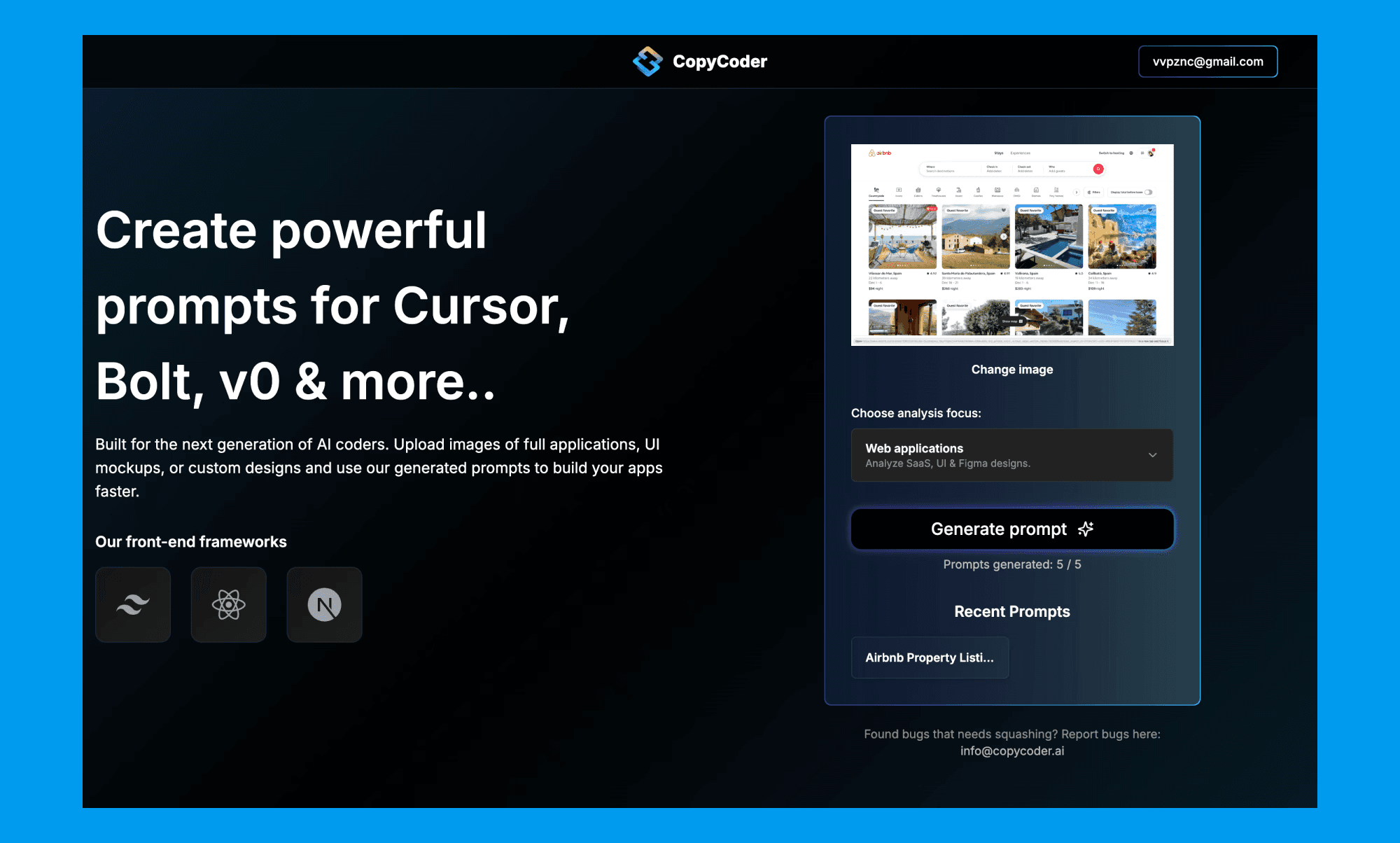
CopyCoder was launched in November 2024 as a tool that turned UI screenshots into structured prompts for AI coding tools like Cursor, Bolt, and v0.
It went viral almost immediately, resonating with developers who wanted a faster way to go from design to code.
Evolution & Rebranding to Komposo AI
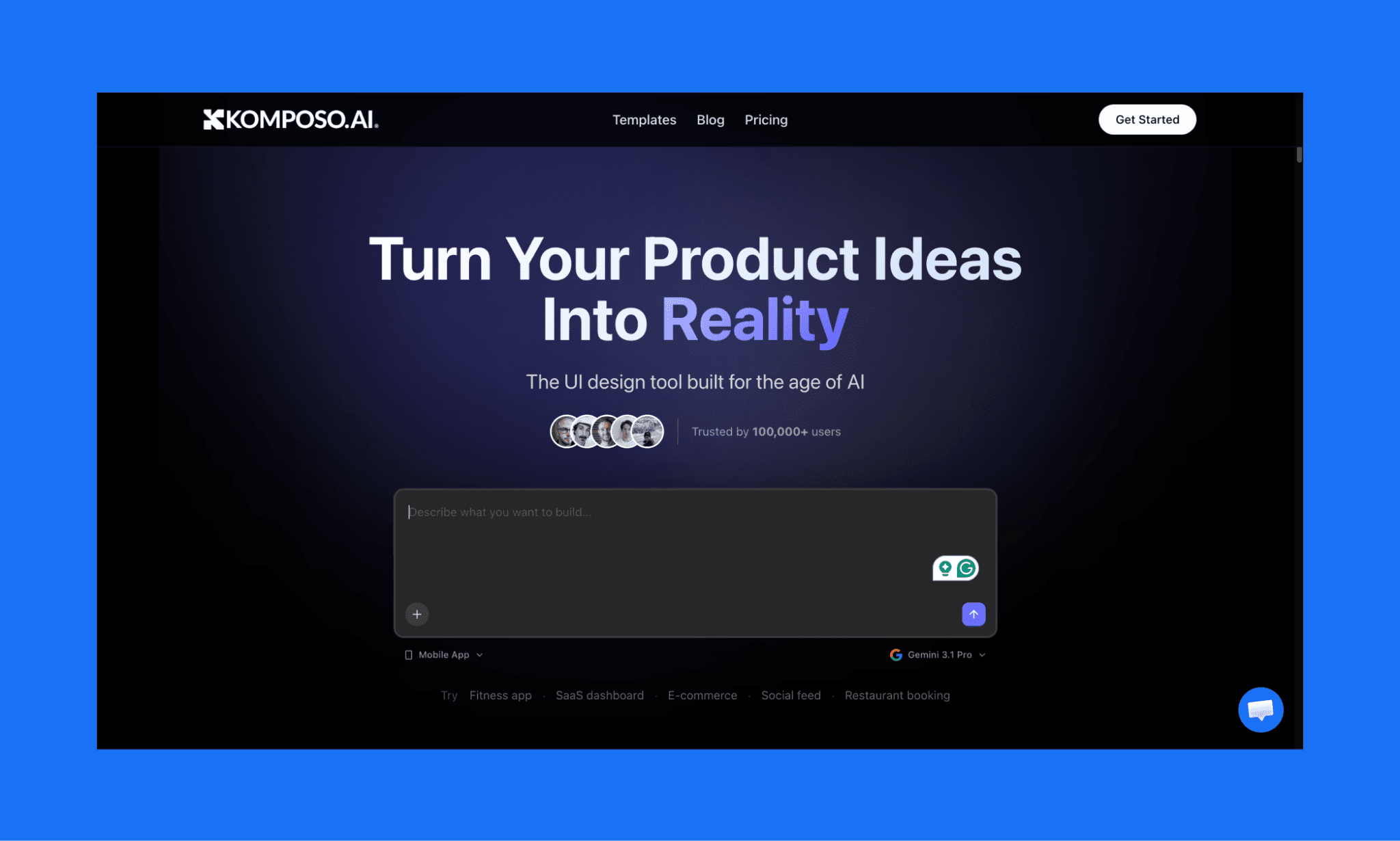
Over a year since launch, CopyCoder adapted to its users’ demand with new features, and by late 2025 found itself as more of an AI UI Generator; much evolved from its original concept. Hence, they decided to rebrand their website to Komposo AI.
Now, copycoder.ai does not exist; instead, redirects to komposo.ai.
According to their founder, Moritz Kremb, the name reflects what the product actually does today: compose and iterate on UI, not just copy code.
Can you clone websites with Komposo AI like CopyCoder did?
Yes. Screenshot-to-UI is still their core feature. You can upload a screenshot of any app or website, and Komposo generates an editable design from it. They also offer a library of App UI as well.
Do existing users have to do anything because of rebranding?
Nothing at all. Your account, projects, and pricing all stay the same. The only thing that changed is the name.
Is there a free trial of the new Komposo AI?
Yes, Komposo AI offers a free trial with 10 credits. Though it’s only for one-time, enough to test the tool and generate a few screens before committing to a paid plan.
Promp-to-UI in Komposo AI
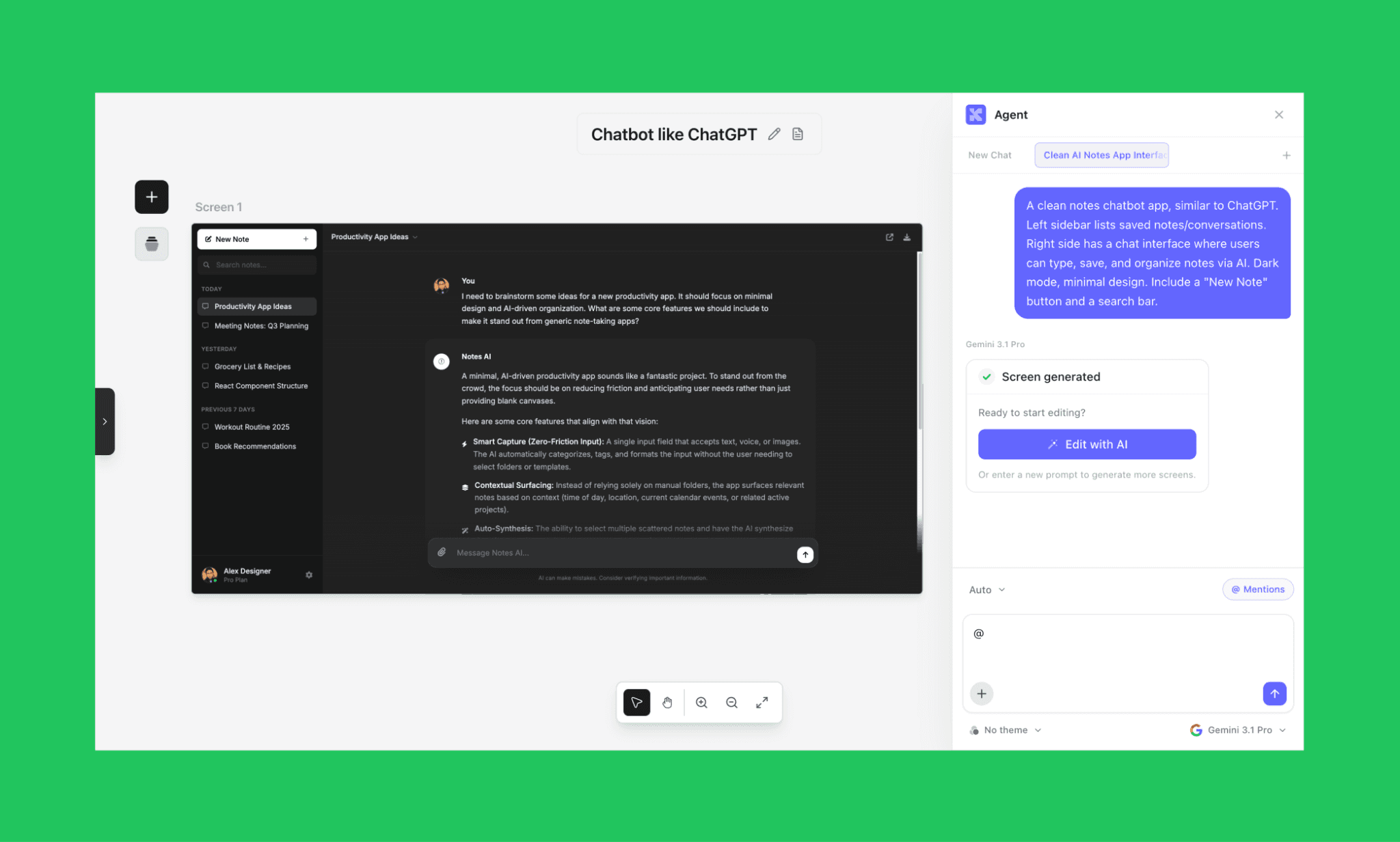
To test the latest avatar of CopyCoder, I ran a prompt through its new project to create a UI from text prompt. Chose to go with a minimalist chatbot UI like ChatGPT:
“A clean notes chatbot app, similar to ChatGPT. Left sidebar lists saved notes/conversations. Right side has a chat interface where users can type, save, and organize notes via AI. Dark mode, minimal design. Include a "New Note" button and a search bar.”
Review of the output
I must say the output is pretty neat. It followed the instructions clearly, generating the dark mode with all the components as asked.
However, it consumed 4 credits which seemed a bit costly for one screen and one variation.
Making edit in the UI
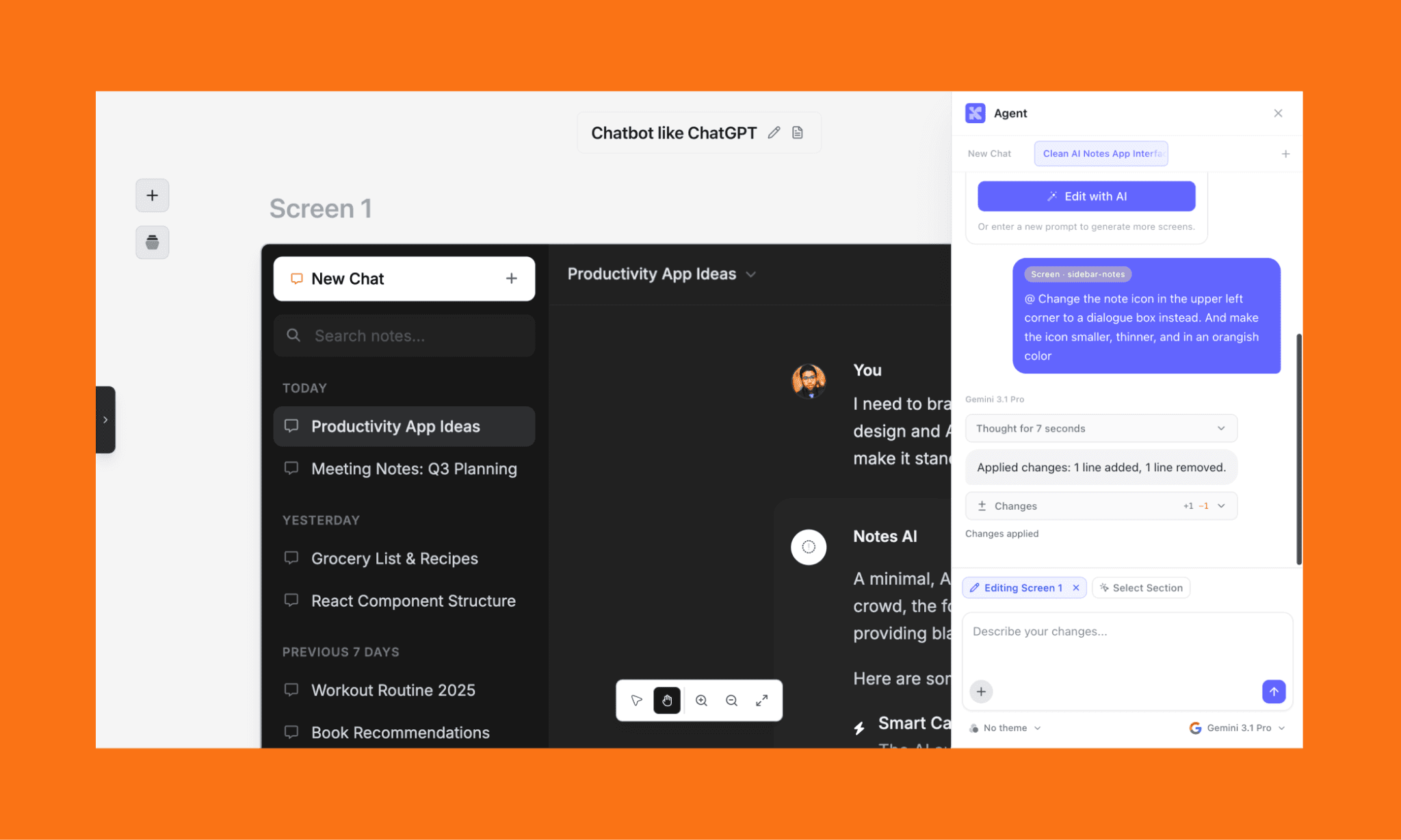
You can make either manual edits or ask AI to do it via a text prompt. I tried both:
Manual edit: It was intuitive as if changing text in a Canva design board. It did not eat up any credit.
AI Edit: I asked it to change an icon design, color, and size. It was done pretty fast and accurately. However, again, I was a little shocked to see 2 credits gone for a tiny edit.
Adding a new screen
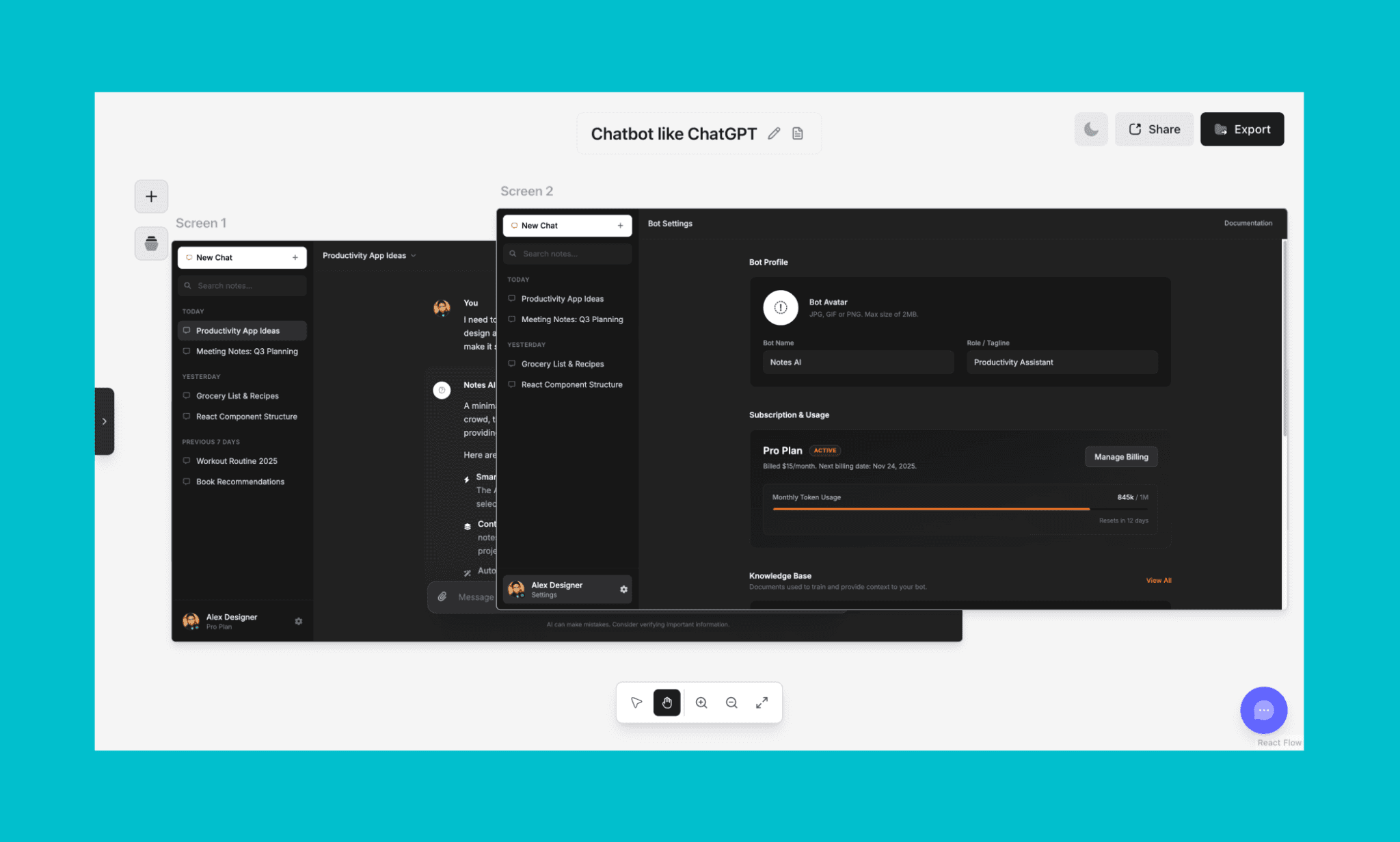
You can reference an existing screen to create a new screen in CopyCoder/Komposo. So I prompted it to one:
“Setting page for this chatbot. Show the profile of the bot, the subscription, and the document used to train the bot, and other details related to fine-tuning my chatbot.”
This time, too, 4 credits were consumed. The result, again, was not bad. It kept the dark style with an orangish tinge, and followed the instructions for specific components. However, this time, I was just not able to separate the two screens for proper viewing. Which was quite frustrating.
Moreover, I was expecting that since part of the components are hidden under the first fold, I should be able to scroll and see it, like Banani AI, another popular AI UI Tool software — but, alas, that’s not possible with Komposo.
Export frontend code
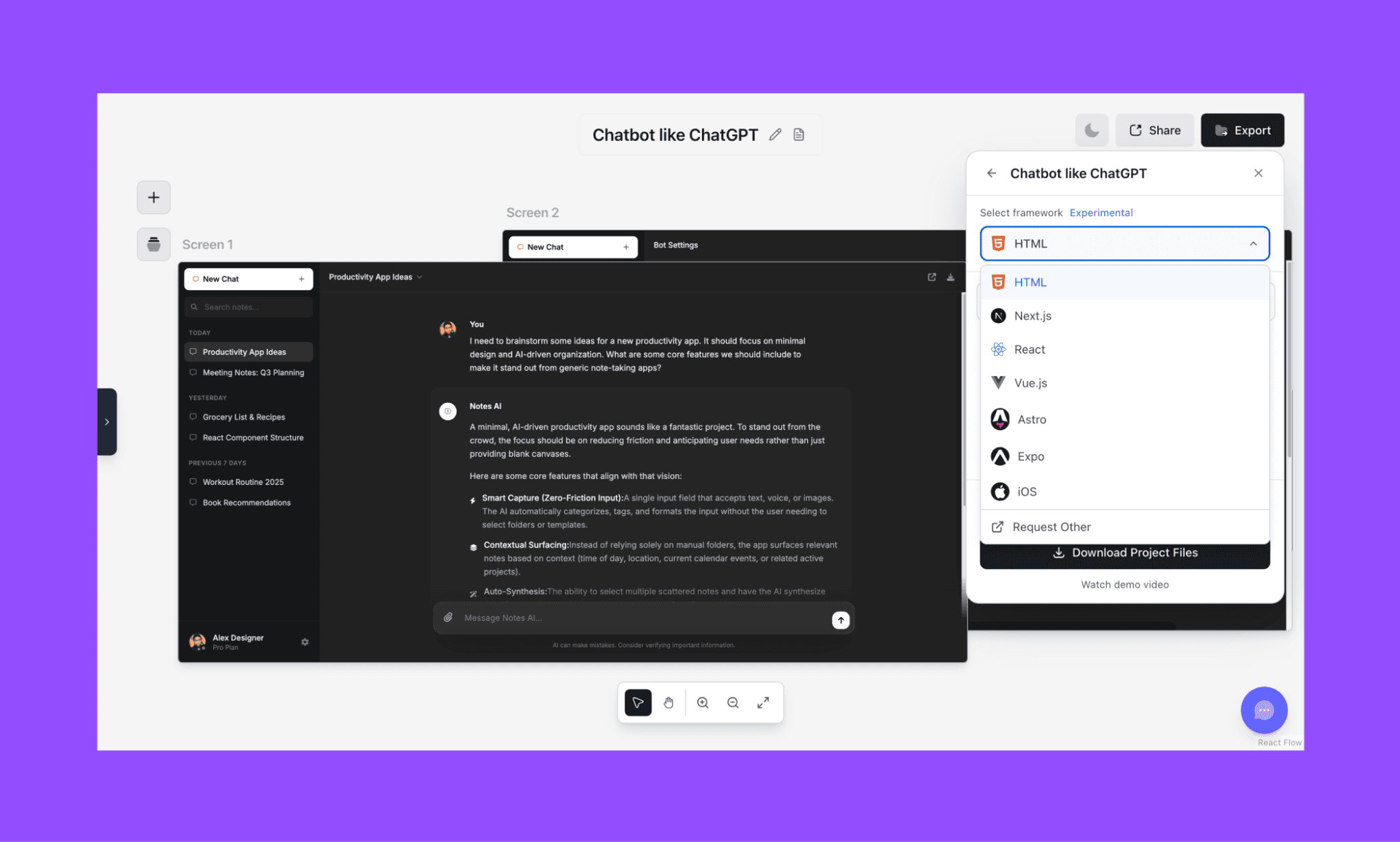
CopyCoder or Komposo AI retains its classic feature of exporting design to code. Just select the desired screen, click ‘Export’ on the top right corner, and you’ll see multiple code formats supported. From classic HTML, to modern Next.js and Expo.
As an AI product designer, it’s quite convenient for my team for design hand-off. I tried the HTML export and was let down to see that there’s no CSS in it. Plain HTML is not going to be much helpful. Moreover, it was not semantic either which makes it (almost) useless.
Well, at least it did not cost me any credits to export the code.
How to Generate Unique UI with Lovable >
Latest Features of CopyCoder
Prompt-to-UI generation: Describe any screen in plain language or with image reference, and Komposo generates a polished, editable UI design instantly.
Screenshot cloning: Upload a screenshot of any app or website and it’ll recreate it as an editable design, ready for you to tweak and export.
Multiple variations: Generate several design directions from a single prompt and pick the one that fits best, without starting over each time.
AI edit via chat: Refine any design through a conversational agent. Change colors, swap layouts, add sections, etc. all by describing what you want.
*Can also make manual edits like in Figma. This does not consume credit.
Multi-framework code export: Export your finished design as clean, production-ready code for HTML, Next.js, React, Vue, Astro, or Expo with one click.
CopyCoder Pricing
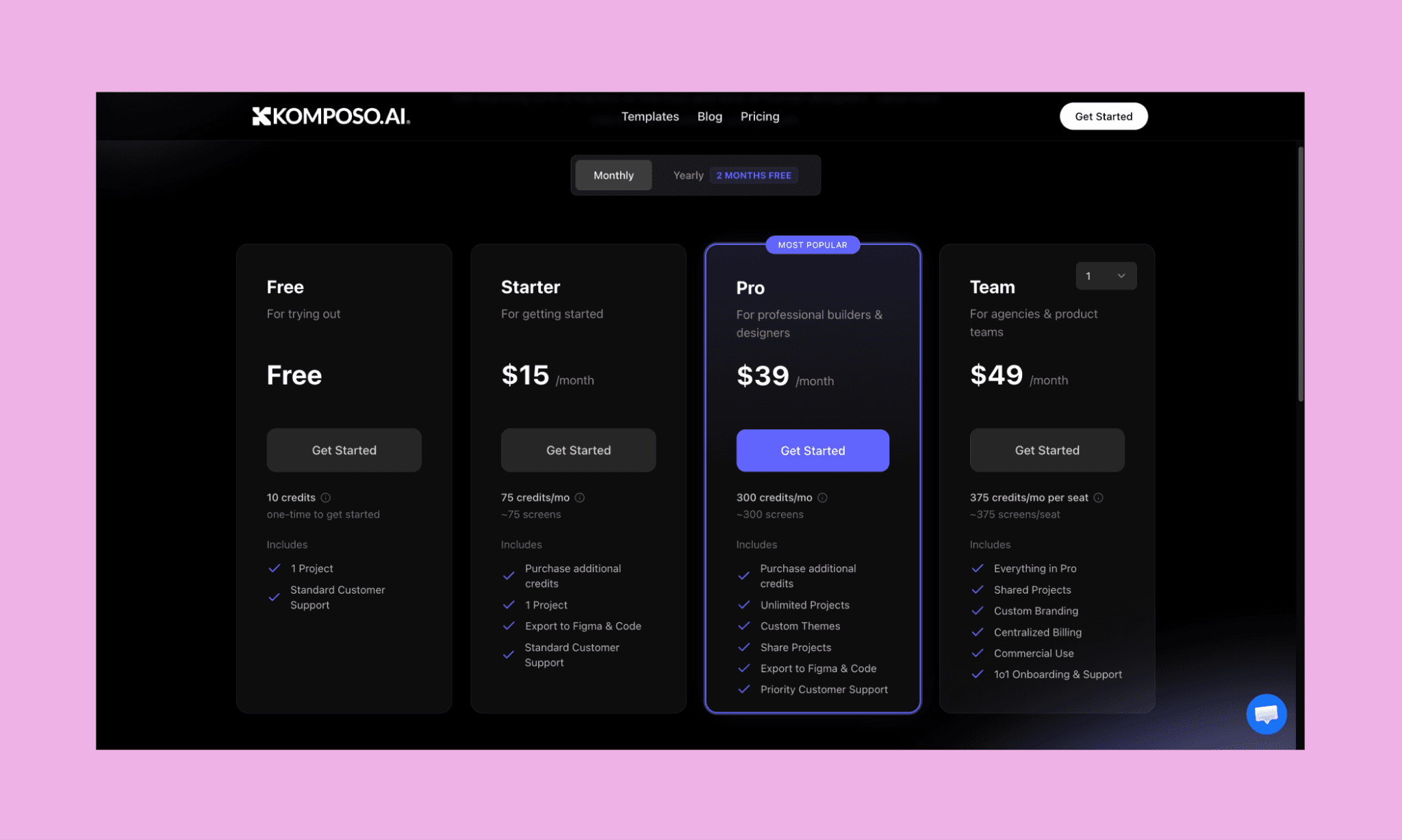
CopyCoder Free Plan
In 2026, CopyCoder/Komposo follows a freemium pricing model. CopyCoder.ai Free plan gives you 10 one-time credits.
You get access to 1 project and standard customer support.
CopyCoder Paid Plans
Starter | Pro | Team | |
Price | $15/mo ($150/yr) | $39/mo ($390/yr) | $49/mo ($490/yr) |
Credits | 75/mo (~75 screens) | 300/mo (~300 screens) | 375/mo per seat |
Projects | 1 | Unlimited | Unlimited |
Exports | Figma & Code | Figma & Code | Figma & Code |
Other | Buy extra credits | Custom themes, share projects, priority support | Shared projects, custom branding, centralized billing, 1-on-1 onboarding |
Best for | Individuals just getting started | Freelancers and Pro designers | Agencies and product teams |
*Note: The annual billing gives you 2 months of free subscription in each paid plan.
CopyCoder Credits
Like most AI App Builders of 2026, CopyCoder used to use credits, and so does Komposo AI. Each action consumes credit from the allotted count in your subscription plan.
Action | Standard | Premium |
Generate Screen | 1 credit | 4 credits |
Edit Screen | 1 credit | 2 credits |
Generate Variation | 1 credit | 4 credits |
Grab from URL | 1 credit | — |
Figma Export | 1 credit | — |
The Standard & Premium counts are based on what model you use to generate/edit UI. Standard (uses lighter models like Claude Haiku 4.5 and Gemini 3 Flash) and Premium (uses more powerful models like Gemini 3.1 Pro, Claude Sonnet 4.5, Claude Opus 4.5, and OpenAI GPT-5.2).
Also, monthly plan credits in CopyCoder reset each billing cycle. Any credits you purchase on top of your plan never expire.
Lovable Pricing & Credits in 2026 >
Pros & Cons of CopyCoder
Pros | Cons |
Clean, accurate UI output from text prompts | Premium model generates cost is costlier than industry standard |
Screenshot cloning still works reliably | HTML export has no CSS, making it barely usable |
Manual edits are free and intuitive like Canva | Can't scroll to view content hidden below the fold |
Multiple framework exports: React, Next.js, Vue, Expo | Free plan is one-time only, not a recurring free tier |
Existing users keep their account, projects, and pricing |
Alternatives to CopyCoder
Banani: Better AI UI Design Tool
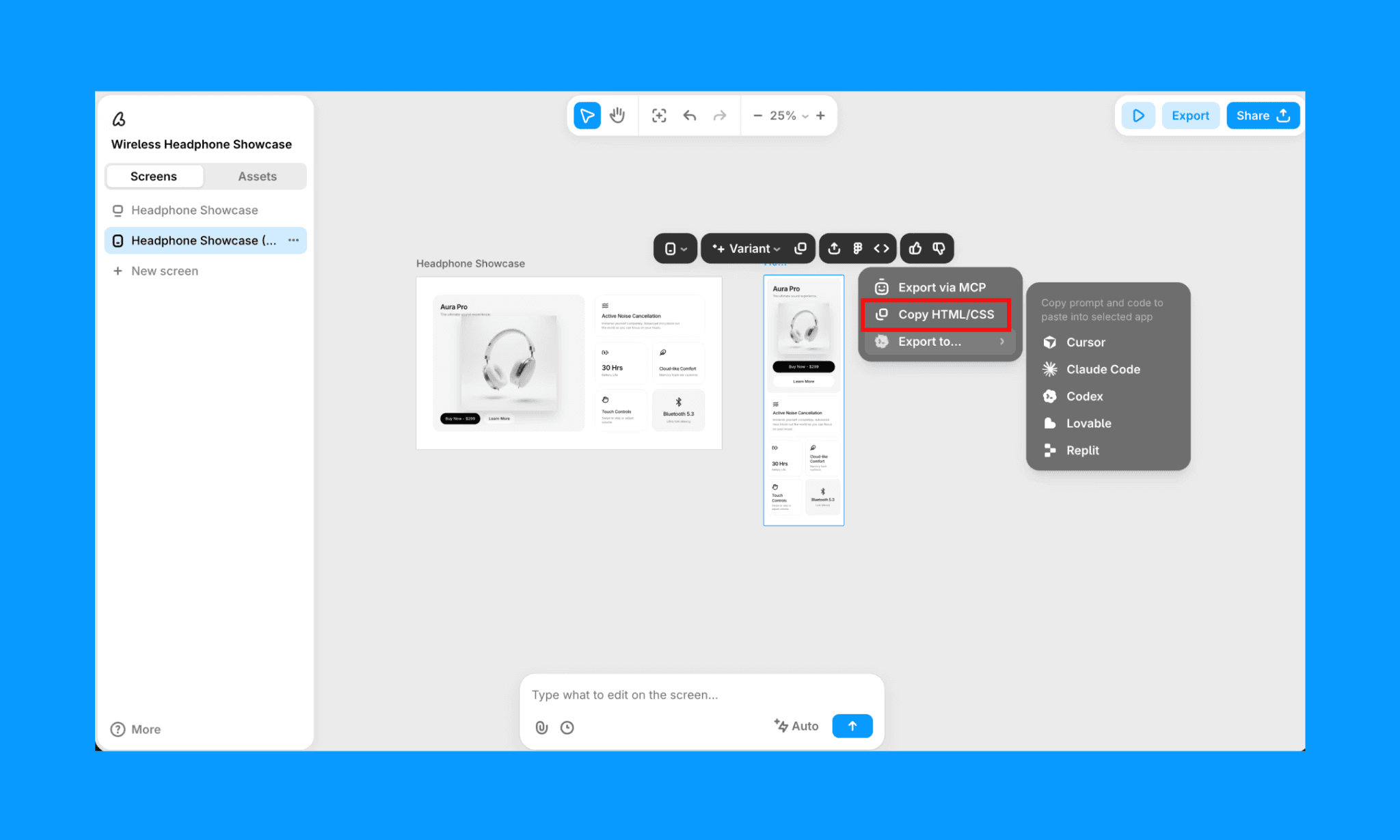
Banani is an AI UI design tool for founders, PMs, and designers who want to go from idea to multi-screen prototype fast.
Key features of Banani AI
Text or image to editable multi-screen UI in seconds
AI chat editing to refine layouts, colors, and components
Export to Figma, HTML/CSS, or images in one click
Transparent credit system: 1 credit = 1 generation or edit
Why choose Banani over CopyCoder
Banani is purpose-built for UI design with cleaner outputs, richer editing, and a more predictable credit system than Komposo.
Vibe design with Banani AI, free >
Google Stitch: Free Vibe Design AI
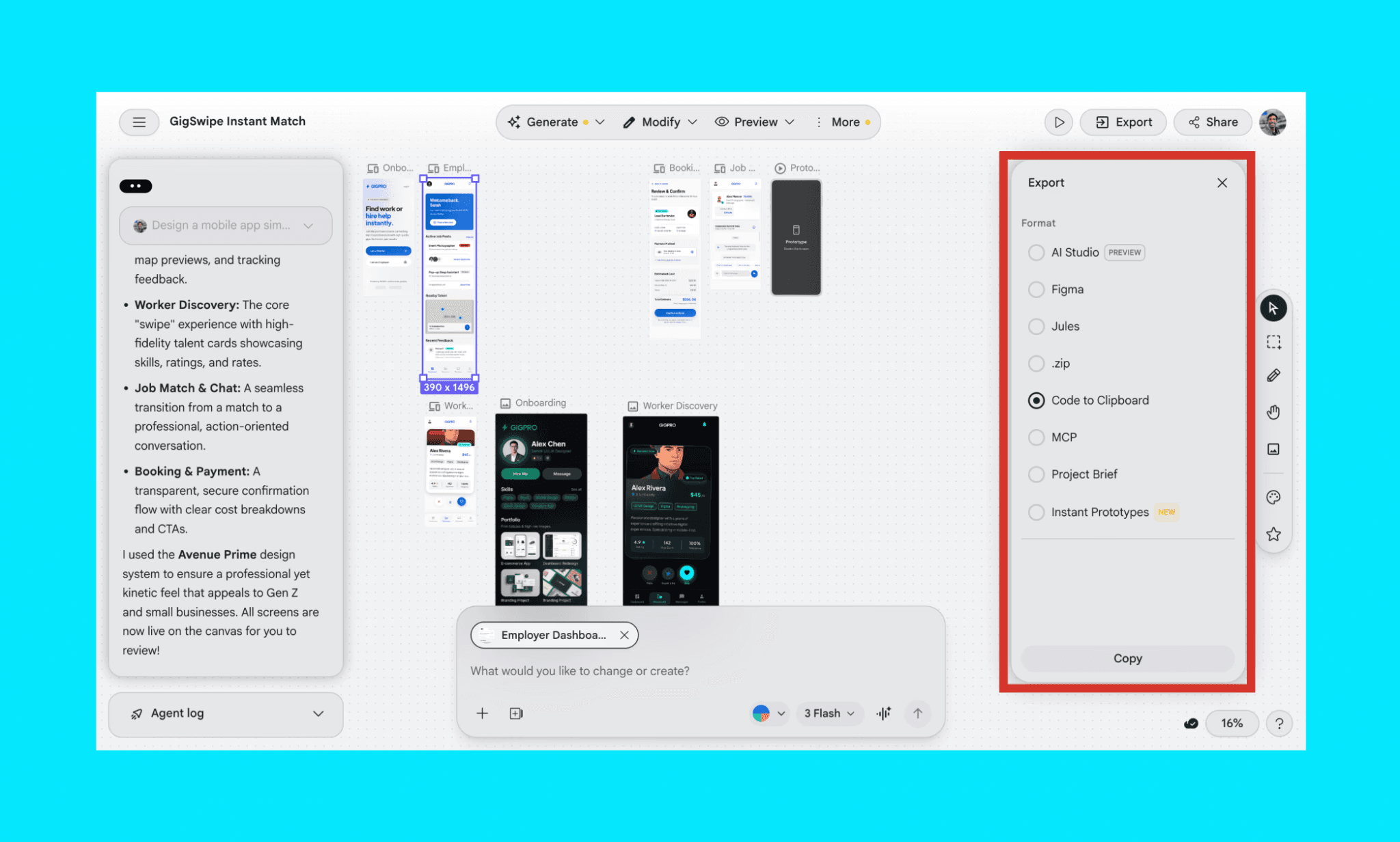
Stitch by Google (formerly Galileo AI) is an AI design tool that turns text prompts into UI designs, powered by the latest Gemini models. Best for quick wireframing and MVP validation.
Key features of Google Stitch AI
Text and image to multi-screen UI flows
Auto-generates a design system for visual consistency
One-click interactive prototyping from connected screens
Export to Figma, HTML/CSS, or shareable link
Why choose Stitch AI over CopyCoder AI
Stitch is completely free with 400 daily credits. Making it ideal for casual or early-stage use.
Check out Google Stitch Alternatives >
Lovable: AI App Builder with UI Design
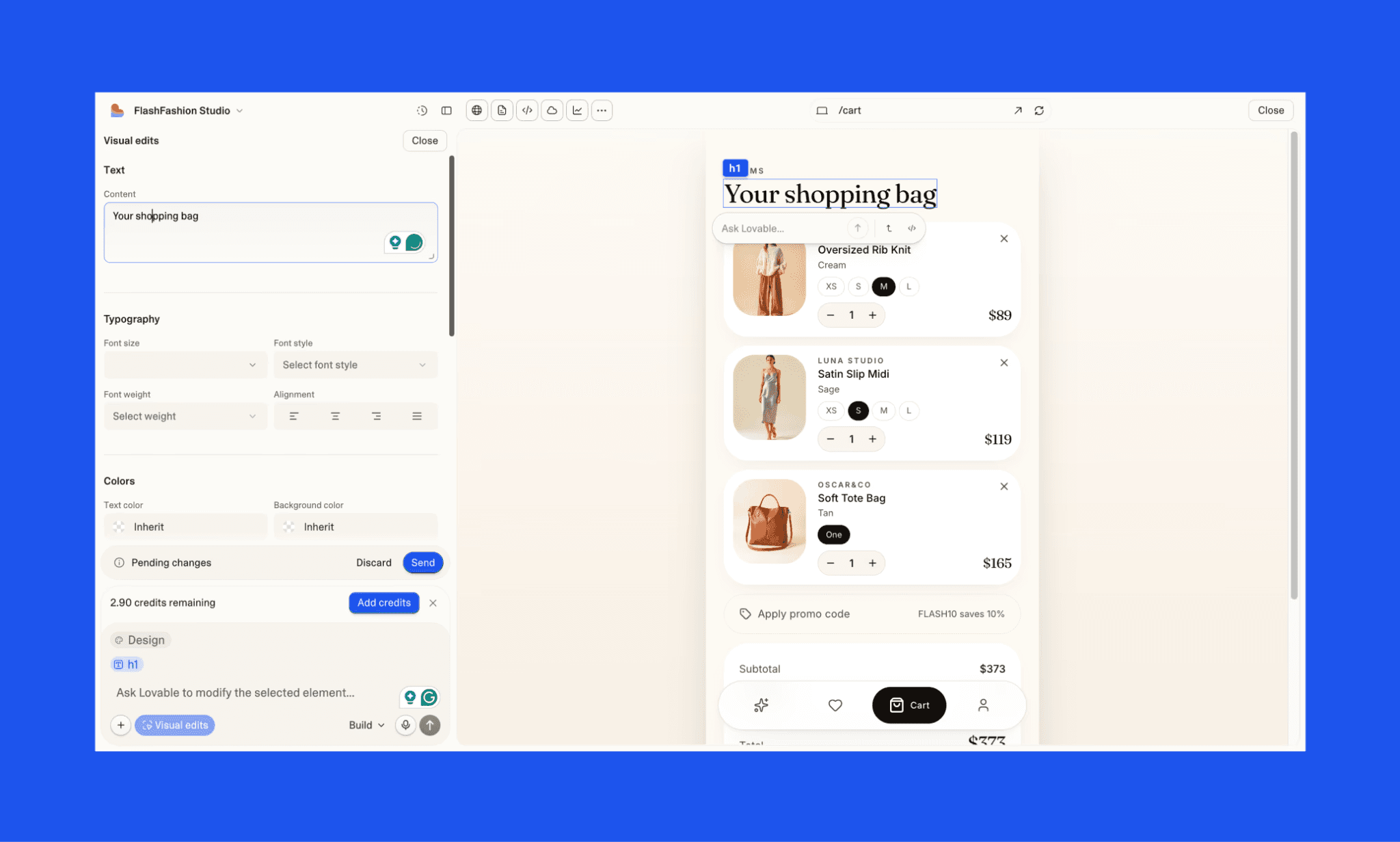
Lovable is an AI app builder that generates functional, deployable apps alongside UI; not just screens. Best for non-developers who want to ship a working product fast.
Key features of Lovable.dev
Prompt-to-full-stack app with UI included
Visual edit and AI chat for UI refinement
Live preview of the app as you build
Connects to Supabase, GitHub, and custom domains
Why choose Lovable AI over CopyCoder AI
Lovable goes beyond UI mockups by building and deploying the app, making it the better pick if you want to ship, not just design.
Check out Lovable Alternatives >
Penpot: Open-source UI Designer with Code
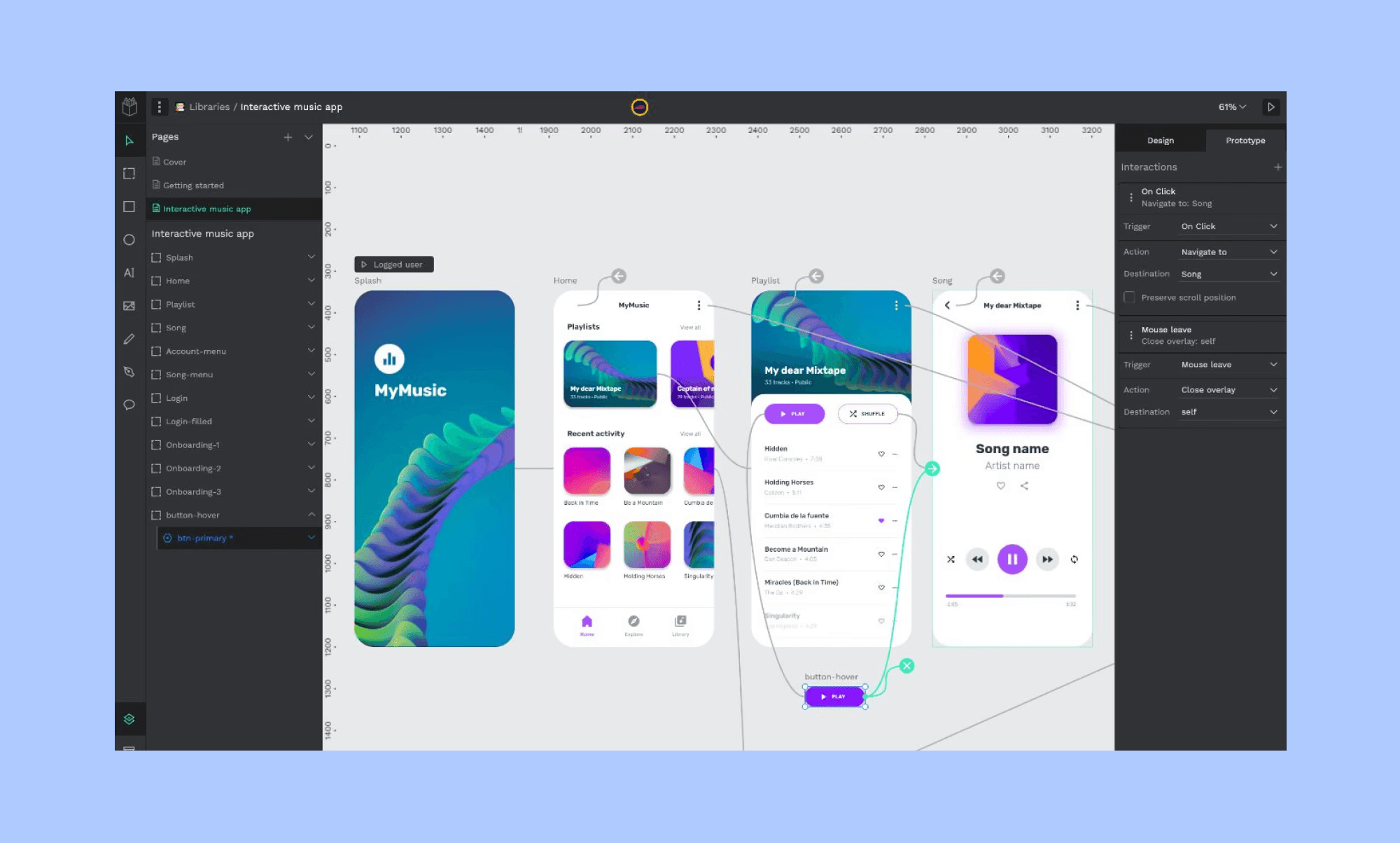
Penpot is a free, open-source UI design tool that lives in the browser and also offers HTML/CSS like Figma Dev Mode. Best for design teams that want full control without vendor lock-in.
Key features of Penpot
Collaborative, Figma-like canvas with no subscription required
Self-hostable for teams with privacy or compliance needs
Design with real CSS, Flexbox, and Grid constraints
Inspect panel outputs production-ready code alongside designs
Why choose Penpot over CopyCoder AI
Penpot is fully free and open-source, giving design-dev teams precise, code-accurate control that AI-only tools like Komposo can't match.
Penpot vs Figma Comparison Guide >
Is CopyCoder’s New Avatar Worth It?
Yes! From my hands-on review of CopyCoder in its latest avatar (viz. Komposo AI), I believe, if you need a quick, polished UI from a text prompt or screenshot, it still delivers. The interface is intuitive, output is clean, and the multi-framework export is genuinely useful for handoff. However, their credit cost adds up fast, AI edits are expensive even for small changes, and the HTML export quality is disappointing (possibly other codes are similar).
Try Banani AI as an alternative that does what CopyCoder can but better. In fact, you can vibe design your UI more extensively because of their far more generous free tier (~170 generations/edits per month).


